
Table of Contents >> Show >> Hide
- What Is Google Local Finder?
- What Is Google Maps?
- Local Finder vs. Google Maps: The Core Difference
- How the Local Pack Fits Into the Puzzle
- Why Rankings Differ Between Local Finder and Google Maps
- What Local SEO Signals Matter Most?
- Example: A Restaurant Ranking Differently Across Google
- How to Optimize for Both Local Finder and Google Maps
- Common Mistakes Businesses Make
- Local Finder vs. Google Maps: Which One Matters More?
- Practical Experience: What Working With Local Results Teaches You
- Conclusion
Ask five local SEO professionals whether Google Local Finder and Google Maps are the same thing, and you may get five answers, three screenshots, two ranking reports, and one person quietly stress-eating pretzels. The confusion is understandable. Both experiences show maps. Both display business listings. Both rely heavily on Google Business Profile data. And both can make a local business owner say, “Why am I number two here but number seven over there?”
The short answer: Google Local Finder and Google Maps are related, but they are not identical. They serve different user journeys, can show different ranking orders, and often reward slightly different optimization priorities. For local businesses, agencies, and SEO teams, understanding that difference is not trivia. It is the difference between tracking visibility accurately and chasing a ranking ghost wearing a Google pin.
What Is Google Local Finder?
Google Local Finder is the expanded local results interface that appears when a user clicks “More places,” “More businesses,” or a local listing from the Local Pack in Google Search. It is closely tied to a search query such as “dentist near me,” “best pizza in Austin,” or “emergency plumber Chicago.” In other words, Local Finder is part of the search experience, not a standalone navigation product.
Local Finder usually shows a list of businesses, a map, ratings, reviews, hours, photos, service categories, addresses, phone numbers, and links to websites or directions. It helps users compare local businesses after Google has already detected local intent in the search results page.
Local Finder Is Built for Discovery
Think of Local Finder as Google saying, “You liked those three options in the Local Pack? Here are more.” It is a deeper discovery layer. Users are often comparing choices: Who has better reviews? Who is open now? Who is closest? Who looks less likely to turn a haircut into a legal matter?
Because Local Finder is triggered from Google Search, it can be influenced by the context of the original search query, the user’s location, the type of business, business profile completeness, reviews, and overall local relevance.
What Is Google Maps?
Google Maps is a map-first platform used for navigation, directions, geographic exploration, route planning, and local business discovery. Users may open the Google Maps app directly, search from a desktop browser, tap the Maps tab, or use voice search while already moving around town.
Unlike Local Finder, Google Maps does not always begin with a traditional Google Search results page. A user may search “coffee” while looking at a neighborhood on the map, zoom into a different area, drag the map across town, or search along a route. This changes the user intent. The person is not simply asking Google Search for local options; they are interacting with geography.
Maps Is Built for Movement
Google Maps is where local search meets “I need to get there without accidentally entering a one-way street from the wrong side.” It prioritizes location, routes, proximity, open hours, photos, reviews, and navigation usefulness. For restaurants, retail stores, clinics, contractors, and service-area businesses, Maps visibility can directly influence calls, direction requests, and walk-ins.
Local Finder vs. Google Maps: The Core Difference
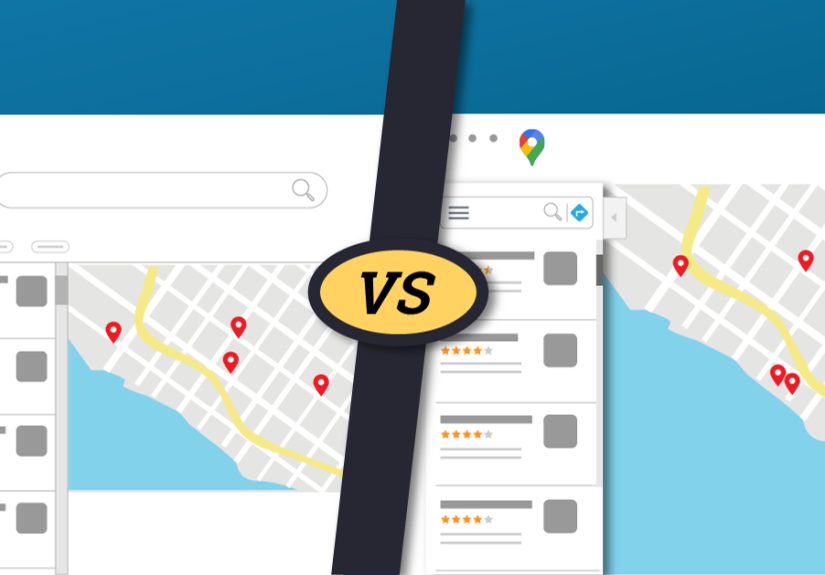
The biggest difference is intent. Local Finder is search-led. Google Maps is map-led. Local Finder usually begins after someone searches on Google and wants more local business options. Google Maps often begins when someone is already thinking spatially: “What is nearby?” “How far is it?” “Can I get there before closing?” “Is parking going to ruin my personality?”
1. Entry Point
Local Finder is typically accessed from the Local Pack in Google Search. Google Maps is accessed directly through the app, the Maps website, a Maps tab, or navigation-related prompts. This matters because the same keyword can behave differently depending on where the search begins.
2. Geographic Scope
Google Maps often shows a broader or more fluid geographic area because users can pan, zoom, and search within a visible map region. Local Finder tends to be more connected to the location context of the original Google Search. For example, searching “handyman in Palo Alto” from Google Search may produce a Local Finder set centered on that query, while searching “handyman” inside Maps after hovering over another neighborhood may return different businesses.
3. Ranking Variation
A business may rank highly in the Local Pack, appear differently in Local Finder, and show up in another position in Google Maps. This is not necessarily a bug. Local results are dynamic and personalized by search location, intent, device, query wording, business category, prominence, and map behavior.
4. User Behavior
Local Finder users are usually comparing local search results. Google Maps users may be navigating, exploring nearby options, checking travel time, or searching in a specific map area. This can affect which business wins the click, call, or direction request.
How the Local Pack Fits Into the Puzzle
To understand Local Finder, you also need to understand the Local Pack. The Local Pack, sometimes called the Map Pack or 3-Pack, is the group of local business listings that appears directly in Google Search results for local-intent queries. It often shows three businesses, a small map, review ratings, hours, and quick action buttons.
Local Finder is the expanded view users see when they want more than the three businesses in the Local Pack. So the relationship looks like this:
- Google Search: The main results page where local intent may trigger a Local Pack.
- Local Pack: The compact set of top local listings inside Google Search.
- Local Finder: The expanded local results view after clicking for more options.
- Google Maps: The map-first platform for discovery, navigation, and local business exploration.
These experiences overlap, but they should not be treated as one identical ranking environment. That is where many local SEO reports go off the rails, usually while wearing a very serious spreadsheet face.
Why Rankings Differ Between Local Finder and Google Maps
Google has confirmed that local ranking is mainly based on relevance, distance, and prominence. These three pillars apply broadly across local search, but the way they show up can vary depending on the interface.
Relevance
Relevance measures how well a business matches what the searcher wants. A complete Google Business Profile helps Google understand the business. Categories, services, products, descriptions, attributes, photos, website content, and customer reviews can all support relevance.
For example, a bakery that chooses “Bakery” as its primary category, adds “custom cakes,” “wedding cakes,” and “cupcakes” as services, and publishes clear website content about those offerings is easier for Google to match with relevant searches.
Distance
Distance measures how far the business is from the user or from the location named in the query. This is where Maps can feel especially different. In Google Maps, the visible map area and user movement can influence what feels most relevant. A coffee shop across the street may outrank a more famous one five miles away when the searcher is clearly nearby and caffeine levels are approaching emergency status.
Prominence
Prominence reflects how well-known and trusted a business appears to be. Reviews, ratings, links, citations, articles, brand recognition, and broader web presence can all contribute. A landmark restaurant, a respected medical practice, or a local store with hundreds of strong reviews may have a prominence advantage.
What Local SEO Signals Matter Most?
No public checklist can guarantee a number-one ranking in Google Local Finder or Google Maps. Google does not sell better local rankings, and the algorithm is intentionally not fully disclosed. Still, years of local SEO testing show several signals that consistently matter.
Google Business Profile Accuracy
Your Google Business Profile should reflect your real-world business. That means accurate name, address, phone number, website, hours, business categories, service areas, photos, and attributes. Keyword stuffing your business name may look tempting, but it is a policy risk and can backfire. “Joe’s Plumbing” is fine. “Joe’s Plumbing Best Emergency Cheap 24/7 Water Heater Repair Near Me” sounds like a business name written by a caffeinated robot with a coupon addiction.
Reviews and Ratings
Reviews influence both rankings and conversions. A business with a steady flow of authentic, detailed reviews can build trust with Google and with customers. Responding to reviews also shows engagement. The goal is not only to collect stars; it is to build a believable reputation that helps people choose you.
Photos and Visual Trust
Photos matter because local search is visual. Users want to see storefronts, interiors, products, staff, menus, completed projects, parking areas, and anything that reduces uncertainty. In Maps especially, visuals can make a listing feel real, current, and worth visiting.
Website and Local Landing Pages
Your website still matters. Local landing pages should clearly explain services, locations served, contact details, hours, trust signals, testimonials, FAQs, and calls to action. A plumber in Phoenix should have content that proves Phoenix relevance, not a generic page that could belong to a plumber, dentist, taco truck, or suspiciously ambitious raccoon.
Citations and NAP Consistency
Citations are mentions of your business name, address, and phone number across directories and platforms. Consistency helps search engines and customers trust your information. Major directories, industry-specific sites, local chambers of commerce, and reputable review platforms can all support local visibility.
Links and Local Authority
Quality backlinks and local mentions can support prominence. Local sponsorships, community partnerships, news coverage, professional associations, and useful local content can help a business become more visible online and offline.
Example: A Restaurant Ranking Differently Across Google
Imagine a brunch restaurant in Denver. In Google Search, someone types “best brunch near me.” The Local Pack shows three restaurants with high ratings, strong categories, and proximity to the searcher. The user clicks “More places” and enters Local Finder, where the list expands and may reorder based on open hours, review content, or query relevance.
Then the same person opens Google Maps and searches “brunch” while zoomed into a different neighborhood. Suddenly, a restaurant that was fourth in Local Finder may appear second in Maps because it is closer to the visible map area and has strong engagement signals there. Same city. Similar query. Different interface. Different results.
This is why a local SEO report that says “we rank number one” without specifying where, on what device, from what location, and in which Google experience is about as useful as a weather forecast that says “outside is happening.”
How to Optimize for Both Local Finder and Google Maps
1. Complete and Maintain Your Google Business Profile
Choose the most accurate primary category, add relevant secondary categories, keep hours updated, upload fresh photos, list services, add products where appropriate, and ensure your phone number and website are correct. Local SEO is not a set-it-and-forget-it task. It is more like owning a plant: ignore it long enough and things get weird.
2. Build a Review System
Ask customers for honest reviews after real experiences. Make it easy, but do not pressure people or offer incentives that violate platform guidelines. Respond professionally to positive and negative reviews. A calm response to criticism can be more persuasive than a dozen perfect five-star ratings.
3. Strengthen On-Page Local SEO
Build useful pages for each major service and location. Include clear headings, natural local keywords, service details, FAQs, testimonials, embedded maps when helpful, and structured data. LocalBusiness schema can help Google better understand business details such as hours, departments, and location information.
4. Track Rankings Separately
Do not use one ranking screenshot as the entire strategy. Track Local Pack, Local Finder, Google Maps, and organic rankings separately when possible. Use geo-grid tracking if your business depends on visibility across multiple neighborhoods. A single rank from a single ZIP code can hide major visibility gaps.
5. Think Like a Customer
Search engines matter, but customers decide. Does your listing answer basic questions quickly? Are your hours accurate? Are your photos current? Can people call, book, order, or request directions without friction? A beautiful ranking is less useful if the listing experience feels like a scavenger hunt designed by a committee.
Common Mistakes Businesses Make
Confusing Maps Rankings With Search Rankings
Ranking well in Google Maps does not always mean ranking equally well in Local Finder or the Local Pack. Each environment should be reviewed on its own.
Ignoring Searcher Location
Local rankings can change dramatically from one street to another. A business may dominate near its storefront but fade several miles away. That is not failure; that is local search behaving locally.
Using Fake or Low-Quality Reviews
Fake reviews can damage trust and may violate platform rules. Real reviews from real customers are slower, but they are safer and more valuable.
Neglecting Business Hours
Open hours can affect user choice and visibility. If your holiday hours are wrong, customers may arrive at a locked door, which is not a brand experience; it is a tiny betrayal with parking.
Creating Thin Location Pages
Copy-pasted city pages with only the city name swapped out rarely help users. Strong local pages should include useful, specific, and trustworthy information about services in that area.
Local Finder vs. Google Maps: Which One Matters More?
The honest answer is: both matter. Local Finder is important for people coming from Google Search who are comparing businesses. Google Maps is essential for people navigating, exploring, and making quick local decisions. A restaurant, salon, urgent care clinic, law firm, auto repair shop, or home service company can win customers from either path.
Instead of asking which one matters more, ask which one matters more for your customer journey. A tourist may use Maps to find “seafood near me.” A homeowner may use Google Search to compare “roof repair companies near Dallas.” A patient may search a doctor’s name, click the Local Pack, and then check reviews in Local Finder. Each route can lead to a call, booking, visit, or sale.
Practical Experience: What Working With Local Results Teaches You
After watching local rankings across different industries, one lesson becomes painfully clear: local SEO is not a single scoreboard. It is a living ecosystem. Rankings shift by device, time of day, user location, query wording, map zoom, business hours, review growth, competitor changes, and even how Google interprets intent. Anyone promising one permanent number-one position everywhere is selling a fairy tale with a dashboard login.
In real-world local SEO work, the most useful approach is to measure patterns instead of obsessing over one ranking. For example, a dental clinic might not rank in the top three from every point in a city, but it may dominate within a two-mile radius of the office. That is valuable if most patients come from nearby neighborhoods. A restaurant may rank inconsistently for “best lunch,” but perform strongly for “vegan lunch,” “outdoor seating,” and “brunch open now.” Those smaller wins often produce better customers than one broad trophy keyword.
Another practical lesson is that Google Business Profile maintenance is not glamorous, but it works. Updating hours, adding fresh photos, answering questions, responding to reviews, refining categories, and improving service descriptions may not feel exciting. Nobody throws a party because you corrected your holiday hours. But these details reduce friction for users and help Google better understand the business.
Reviews also teach a humbling lesson. A business does not need only more reviews; it needs better customer experiences that naturally create better reviews. Local SEO cannot permanently hide poor service. It can amplify a good business, but it cannot turn a chaotic customer experience into a five-star reputation forever. So the smartest local SEO strategy often starts offline: answer the phone, show up on time, train staff, solve problems, and make customers feel respected.
Tracking Google Maps separately from Local Finder is another experience-based must. Many businesses discover that they are visible in one environment but weak in another. A contractor may appear in Maps near the office but struggle in Local Finder for city-wide service searches. A boutique may appear in Local Finder for “women’s clothing near me” but lose visibility in Maps when users search from a shopping district with stronger competitors nearby. Separate tracking turns confusion into strategy.
Finally, the best results usually come from combining technical accuracy with human usefulness. Structured data, citations, categories, and links help search engines. Photos, reviews, clear service pages, accurate hours, and friendly responses help people. Local Finder and Google Maps may differ, but they both reward businesses that are easy to understand, easy to trust, and easy to choose. In local SEO, that is the real map: help Google understand you, help customers believe you, and make the next action obvious.
Conclusion
Google Local Finder and Google Maps are not the same, even though they share data, visuals, and local ranking signals. Local Finder is tied closely to Google Search and expanded local discovery. Google Maps is a map-first platform built around geography, navigation, and nearby exploration. Because the user journey differs, rankings can differ too.
For local businesses, the winning strategy is not to chase one universal ranking. It is to build strong visibility across the Local Pack, Local Finder, Google Maps, and organic local results. Keep your Google Business Profile accurate, earn authentic reviews, publish useful local content, maintain consistent citations, add strong visuals, and track performance by location and platform. That is how local SEO stops being a guessing game and starts becoming a growth channel.







 Close
Close