
Table of Contents >> Show >> Hide
- Why Car Key Fob Batteries Die in the First Place
- What You Need Before You Start
- How to Replace the Battery in a Car Key Fob: Easy Steps
- Common Key Fob Battery Types and Why You Should Never Assume
- Mistakes to Avoid When Replacing a Key Fob Battery
- Do You Need to Reprogram the Fob After a Battery Change?
- What If the Battery Is Dead and You Need to Get Into the Car Right Now?
- When a Simple Battery Swap Is Not Enough
- Quick FAQ
- Final Thoughts
- Real-World Experiences With Replacing a Car Key Fob Battery
- SEO Tags
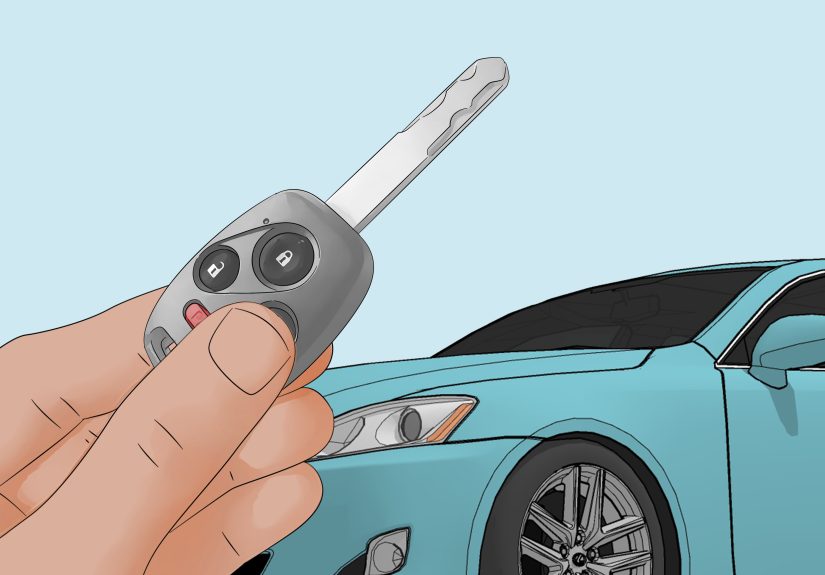
Few modern annoyances are as dramatic as a tired car key fob. One minute you are unlocking your car with the effortless confidence of a movie star. The next, you are standing in a parking lot clicking the button seven times like you are trying to contact aliens. The good news is that replacing a key fob battery is usually a quick, inexpensive DIY job that takes just a few minutes.
If you have been wondering how to replace the battery in a car key fob, this guide walks you through the easy steps, the tools you need, the mistakes to avoid, and what to do if the fob still refuses to cooperate. Because yes, sometimes the problem is the battery. And sometimes the fob is just being emotionally unavailable.
Why Car Key Fob Batteries Die in the First Place
A key fob battery does not last forever. It is a tiny coin-cell battery working hard every time you lock, unlock, remote-start, or open the trunk. Over time, the battery gets weaker and the signs usually start small. You may notice the range shrinking, the buttons responding inconsistently, or a dashboard warning on some vehicles. Eventually, the fob may only work when you stand suspiciously close to the driver-side door.
Most drivers do not think about the battery until the fob starts acting weird. That is normal. The trick is catching the warning signs early so you can replace the battery before you end up doing the parking lot panic dance.
What You Need Before You Start
Replacing the battery in a car key fob does not require a workshop, a lift, or a degree in electrical engineering. In most cases, you only need a few simple items:
- The correct replacement battery for your specific key fob
- A small flat-head screwdriver or plastic pry tool
- A clean cloth or towel to protect the fob and catch small parts
- Your phone camera to take a quick photo before removing the old battery
- Optional tweezers if the battery is tucked in tightly
The most important item is the correct battery type. Do not guess. Many key fobs use coin batteries such as CR2025, CR2032, CR2016, or CR2450, but the correct size varies by make, model, year, and fob design. Some vehicles use a different size than you might expect, so always verify before buying a replacement.
How to Replace the Battery in a Car Key Fob: Easy Steps
Step 1: Identify the Exact Battery Type
Before you pry anything open, confirm which battery your fob actually uses. You can usually find the battery number in one of three places: your owner’s manual, the old battery inside the fob, or sometimes embossed on the case itself.
This step matters more than people think. A battery that looks close enough is not necessarily correct. The wrong battery can fit poorly, fail to make proper contact, or leave you right back where you started, muttering at your steering wheel.
Step 2: Remove the Mechanical Key, If Your Fob Has One
Many modern smart keys have a hidden metal emergency key inside. Look for a small release switch or button and slide or pull the key out. Set it aside somewhere safe. Not under a receipt. Not in your cup holder. Somewhere you will remember five minutes from now.
On many fobs, removing the emergency key also reveals the notch or seam you need to open the case. That makes the next step much easier.
Step 3: Open the Fob Gently
Look for the seam where the two halves of the fob meet. Insert your small flat-head screwdriver or plastic pry tool into the notch and twist gently. The key word here is gently. You are opening a small plastic case, not auditioning for a demolition show.
Work over a cloth on a flat surface so the battery does not roll away and the plastic case does not get scratched. If the fob resists, do not force it. Recheck for a hidden screw, a second latch, or a better opening point along the seam.
Step 4: Take Note of Battery Orientation
Once the fob is open, pause before removing the old battery. Take a quick photo with your phone so you can see exactly how the battery sits in the compartment. This is a simple move that saves a surprising amount of frustration later.
Pay attention to which side faces up. On many fobs, the positive side is visible, but not always. Installing the new battery backward is one of the most common reasons a freshly repaired fob still does not work.
Step 5: Remove the Old Battery Carefully
Lift the battery out with your fingernail, a plastic tool, or tweezers if needed. Be careful around the contacts and circuit board. You do not want to bend anything, scratch the terminals, or dislodge a tiny piece that seemed unimportant until the buttons stopped working forever.
If you see dust, light residue, or grime inside the case, wipe it away gently with a soft dry cloth or cotton swab. Do not soak the inside, and do not start experimenting with household cleaners like you are hosting a science show in your kitchen.
Step 6: Insert the New Battery
Place the new battery in the compartment in the same orientation as the old one. Make sure it sits flat and secure. Do not jam it in. If it does not fit neatly, stop and verify the battery type again.
Try to avoid touching the flat faces of the new battery too much. It is not the end of the world if you do, but cleaner handling is better for good contact and long-term performance.
Step 7: Reassemble the Key Fob
Align the two halves of the case and press them together until they snap into place. Reinsert the mechanical key if you removed one. Check that the shell closes evenly all the way around. If one side sticks up or feels loose, open it back up and make sure the battery is seated correctly.
Step 8: Test the Fob
Stand near the car and test the lock, unlock, trunk, or panic button. If your vehicle has push-button start, make sure it recognizes the fob as expected. In most cases, that is it. No dealership trip. No dramatic soundtrack. Just a working remote and a small burst of DIY pride.
Common Key Fob Battery Types and Why You Should Never Assume
One reason people get tripped up by this job is that key fob battery sizes are not universal. A lot of fobs use common 3V lithium coin batteries, but the exact size still varies. CR2025 and CR2032 are common, yet some vehicles use CR2016, CR2450, CR1632, CR1616, or another size altogether.
Even within the same brand, different models can use different batteries. Some Honda key fobs use CR2032. Some Toyota fobs use CR2032, while others use CR2450. Lexus support information for many newer models points to smaller batteries such as CR1632 or CR1616. In other words, your neighbor’s battery size means absolutely nothing to your car.
The smartest move is always the same: verify first, buy second, open third.
Mistakes to Avoid When Replacing a Key Fob Battery
Using the Wrong Battery
This is the biggest mistake. Similar-looking coin batteries can differ in thickness, capacity, and fit. Close enough is not good enough here.
Forcing the Plastic Case Open
If you use too much pressure, you can crack the shell or damage clips that help the fob stay closed. Once those clips break, your tidy little battery swap can become a full fob replacement conversation.
Installing the Battery Backward
It happens all the time. That is why taking a reference photo is such a smart move.
Touching the Circuit Board Too Much
The inside of a key fob is not wildly fragile, but it is not built for rough handling either. Avoid pressing on electronic components or scraping contacts with metal tools.
Ignoring Hidden Mechanical Keys
Some drivers forget the metal key exists until the battery dies at the worst possible moment. Learn how to remove it now, while your blood pressure is still normal.
Do You Need to Reprogram the Fob After a Battery Change?
Usually, no. In most cases, replacing the battery in a car key fob does not erase its memory or require reprogramming. You remove the old battery, install the new one, snap the case shut, and go on with your life.
If the fob still does not work afterward, the issue may be something else. Common possibilities include a dead-on-arrival battery, the wrong battery type, poor contact inside the case, water damage, worn buttons, or internal electronic failure. At that point, you may need professional help from a dealership, automotive locksmith, or battery specialist.
What If the Battery Is Dead and You Need to Get Into the Car Right Now?
This is where the hidden mechanical key becomes your hero. Many modern key fobs contain a physical key that can unlock the door when the remote functions stop working. On many push-button-start vehicles, a weak fob can also still help start the vehicle if you hold it close to the start button or follow the backup starting procedure in the owner’s manual.
That backup feature varies by vehicle, so do not rely on guesswork. Learn your car’s procedure before you need it. Future you, standing in the rain with groceries, will be grateful.
When a Simple Battery Swap Is Not Enough
If the new battery does not solve the problem, look at the condition of the fob itself. Has it been dropped? Soaked? Sat at the bottom of a bag under enough stuff to qualify as sediment? Physical damage can affect the contacts, case, buttons, or internal electronics.
Sometimes the cheapest fix is still a battery. Sometimes the next step is repair or full replacement. That matters because replacement key fobs can be expensive. Depending on the vehicle and technology involved, a new fob can cost far more than most drivers expect. Treat the case carefully during a battery swap so you do not turn a small maintenance job into a bigger bill.
Quick FAQ
How long does a key fob battery last?
Battery life varies, but many key fob batteries last a few years. Heavy use, temperature extremes, and how close the fob is stored to the vehicle can affect lifespan.
Can I replace the battery in my key fob myself?
Yes, in most cases. It is one of the easier car-related DIY tasks and usually takes only a few minutes with the right battery and a careful hand.
What are the signs of a weak key fob battery?
Common signs include reduced range, inconsistent button response, needing to press buttons multiple times, a dim indicator light, or a vehicle warning message.
Should I go to the dealership for a battery replacement?
Not usually. A simple battery replacement is often a straightforward at-home fix. A dealer or locksmith is more helpful when the fob is damaged, needs programming, or must be replaced entirely.
Final Thoughts
Replacing the battery in a car key fob is one of those small jobs that feels much bigger than it is. Once you know the process, it is mostly a matter of patience, the correct battery, and not treating the fob like it owes you money. Check the battery type, open the case carefully, match the orientation, snap it back together, and test it. That is the whole game.
It is a smart bit of preventative maintenance, too. A fresh key fob battery can save you from awkward delays, stress, and unnecessary service visits. And honestly, there is something satisfying about fixing a daily annoyance in under ten minutes.
Real-World Experiences With Replacing a Car Key Fob Battery
One of the most common experiences drivers describe is the slow fade rather than a dramatic failure. The key fob usually does not stop working all at once. First, the unlock button works only when you are closer to the car than usual. Then the remote start acts flaky. Then one morning you press the button and get absolutely nothing, which is a very rude way for a tiny battery to announce retirement.
Many people put off the replacement because they assume the process will be complicated or that the fob will need to be reprogrammed. Then they finally open the case and realize the entire job takes less time than finding a podcast episode to listen to while doing it. That surprise is probably the most universal part of the experience. It feels more intimidating than it actually is.
Another common story is buying the wrong battery the first time. A lot of coin batteries look similar in the package, and it is easy to assume one popular size will fit all fobs. Then the new battery does not sit correctly, the case will not close, or the remote still does not work. That is why experienced drivers and technicians always recommend checking the exact battery number before heading to the store. Five seconds of verification can save a whole second trip.
People also talk about how useful it is to take a photo before removing the old battery. It sounds almost too simple to matter, but it matters a lot. Once the battery is out, it is surprisingly easy to forget which side was facing up. A quick phone photo turns the job from a guessing game into a neat little copy-and-repeat task.
Then there is the parking lot lesson. Plenty of drivers only discover the hidden mechanical key after the battery is already weak. They stand there pressing buttons, then search online, then finally notice the tiny release switch on the back of the fob. The good part is that this moment usually teaches them two things forever: first, always know where the emergency key is, and second, never wait until total failure if the fob has already been acting strange for weeks.
Some drivers also learn that storage habits matter. Keeping the fob very close to the vehicle all the time can sometimes contribute to extra activity between the car and the key, especially with proximity-based systems. Others notice that extreme heat, moisture, or rough treatment shortens the life of the battery or the fob itself. Tossing your keys around may look carefree, but the electronics inside are not thrilled about it.
In the end, the experience most people report is relief. Relief that the fix was simple. Relief that the car did not need anything major. Relief that a tiny coin battery solved a problem that felt much bigger. Replacing a key fob battery is a classic modern-car lesson: a little information saves a lot of hassle. And once you do it the first time, you will probably never overthink it again.







 Close
Close