
Table of Contents >> Show >> Hide
- Before You Cancel: 60 Seconds That Can Save You Real Money
- Easy Way #1: Cancel Your Hotel on Expedia’s Website (Desktop or Mobile Browser)
- Easy Way #2: Cancel in the Expedia App (iPhone or Android)
- Easy Way #3: Contact Expedia Support (or the Hotel) When Self-Service Fails
- Refunds, Fees, and Timing: What Usually Happens After You Cancel
- Nonrefundable Doesn’t Always Mean “Give Up”: A Practical Plan B
- Mistakes to Avoid When Canceling an Expedia Hotel Booking
- Experiences That Feel Extremely Familiar (and What They Teach You)
- Wrap-Up: The Quick “Don’t Mess This Up” Checklist
Plans change. Flights shift. Babysitters bail. Sometimes your “relaxing weekend getaway” turns into “staring at your calendar like it personally betrayed you.” The good news: canceling a hotel reservation on Expedia is usually quickif you know where to click, what to look for, and when to stop clicking before you accidentally cancel the wrong trip (we’ve all hovered over that button like it’s a self-destruct switch).
This guide breaks down three easy ways to cancel an Expedia hotel bookingon the website, in the app, or by contacting supportplus what to expect with refunds, cancellation fees, and those “nonrefundable” rates that act like a one-way door in a horror movie.
Before You Cancel: 60 Seconds That Can Save You Real Money
Expedia can make the cancellation process simple, but the refundability of your reservation depends on the hotel’s rules and the type of rate you booked. So before you do anything dramatic, take one minute to check these:
1) Is your booking refundable, partially refundable, or nonrefundable?
On Expedia, you’ll usually see a cancellation policy with a cutoff time (for example, “Free cancellation until…”). Some deals are clearly labeled nonrefundable, and some are “partially refundable,” meaning you might get only a portion back if you cancel.
2) What’s the deadlineand what time zone is it in?
Many hotel policies require canceling 24 to 72 hours before check-in to avoid a fee, but the exact window varies by property and rate type. Also, cancellation cutoffs are often tied to the hotel’s local timenot yoursso don’t play deadline chicken if you’re in a different time zone.
3) Did you “Pay Now” or “Pay Later”?
If you prepaid (“Pay Now”), you’ll typically look for a refund (full, partial, or nonedepending on the policy). If you booked “Pay Later,” you may not get money back because you weren’t charged yet, but you can still be on the hook for a no-show or late-cancel fee if you don’t cancel correctly.
4) Is your hotel part of a package?
If you booked a bundle (like flight + hotel), cancellations can get more complicated because you’re changing a set of linked travel services. When in doubt, that’s when Expedia support becomes your best friend.
Easy Way #1: Cancel Your Hotel on Expedia’s Website (Desktop or Mobile Browser)
If your reservation allows online cancellation, the website method is usually the fastest and most straightforward. You’re basically taking the “self-checkout” lane of travel planningquick, efficient, and only mildly stressful.
Step-by-step: cancel from your Trips / itinerary
- Sign in to the Expedia account you used to book (or find the confirmation email if you booked as a guest).
- Go to Trips (sometimes labeled “My Trips”).
- Select the hotel reservation you want to cancel.
- Choose Change or cancel (or “Manage booking,” depending on what you see).
- Pick Cancel reservation and follow the prompts.
- Save the cancellation confirmation page and check for a confirmation email.
Example: refundable booking with a clean cancellation window
Let’s say you booked a weekend stay in Chicago with “Free cancellation until 11:59 PM two days before check-in.” If you cancel inside that window, your reservation should switch to “Canceled,” and you’ll typically get a confirmation email. If you prepaid, you’ll usually see refund messaging that the refund goes back to the original payment methodtiming varies by bank and provider.
Troubleshooting: when the “Cancel” button is missing
- Nonrefundable rate: You may not see a standard cancel option that results in a refund. You can still cancel to avoid a no-show issue, but money back isn’t guaranteed.
- Within the penalty window: The system may warn you about fees (like losing one night’s room charge or the full stay cost).
- Booked through a different account: This happens more than people admit. Make sure you’re signed into the correct Expedia login.
- Package booking: You might be redirected to support options instead of a simple cancel flow.
Pro tip: Take a screenshot of the cancellation policy before canceling. If something goes sideways later, you’ll have proof of what you agreed to at the time.
Easy Way #2: Cancel in the Expedia App (iPhone or Android)
The Expedia app is convenient because your itinerary is already in your pocketright next to your camera, your boarding pass screenshot folder, and 37 photos of a dog you saw once.
Step-by-step: cancel through the app
- Open the Expedia app and sign in.
- Tap Trips (or “Bookings,” depending on your version).
- Select the hotel stay you want to cancel.
- Tap Manage, Change, or Cancel (the label can vary).
- Review any penalties or refund details shown on-screen.
- Confirm the cancellation and save the confirmation details.
If the app won’t let you cancel
Don’t panicapps are great until they’re not. If you don’t see a cancel option, try:
- Switching to the website (mobile browser or desktop) using the same account.
- Updating the app (yes, it matters).
- Using Expedia support (chat is often faster than phone if you’re juggling life).
Easy Way #3: Contact Expedia Support (or the Hotel) When Self-Service Fails
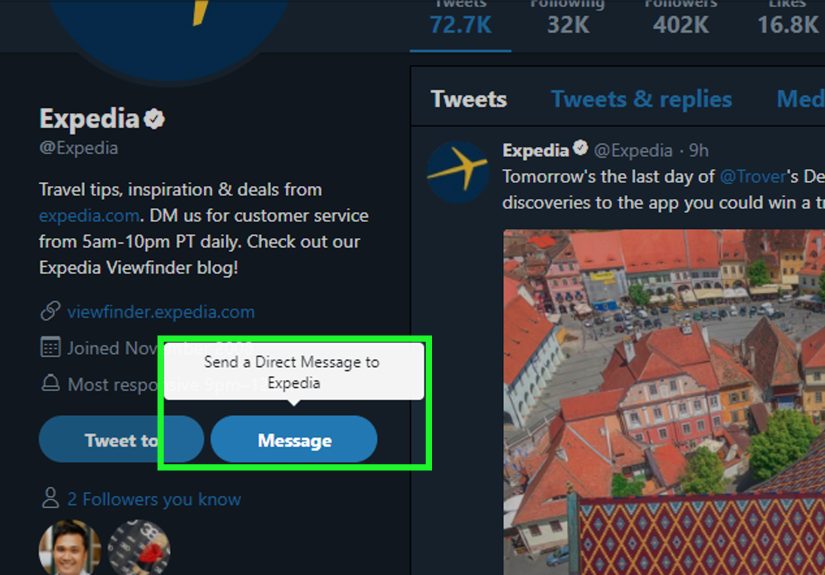
Sometimes you do everything right and still get blocked. That’s when you bring in the adults: Expedia customer service or the property itself. Expedia states its customer service agents are available 24/7 via chat or phone, and their support flow can route you to the right team.
When it makes sense to contact Expedia
- You booked a package (flight + hotel) and can’t cleanly cancel just the hotel portion.
- Your booking is labeled nonrefundable, but you have a legit reason and want to request an exception.
- The site/app won’t show a cancellation option or errors out.
- You canceled but didn’t receive confirmation, and the trip still looks “active.”
What to have ready before you chat or call
- Your itinerary number (from the confirmation email)
- Hotel name, check-in date, and the policy shown at booking
- Last 4 digits of the payment method (if prepaid)
- A calm voice (optional but highly recommended)
Should you contact the hotel directly?
Yessometimes. Hotels can have flexibility, especially if you’re asking to change dates instead of cancel outright. But here’s the catch: if you booked through Expedia, the hotel may tell you that you still need to cancel via Expedia to ensure the reservation is properly released in the system. A smart move is to contact the hotel to request flexibility, then finalize the official cancellation (or modification) through Expedia so everything matches on both sides.
If your stay is within 24 hours, time matters. Same-day cancellations are where policies get strict, but support or the property may still help depending on availability, the rate type, and circumstances.
Refunds, Fees, and Timing: What Usually Happens After You Cancel
Canceling is the easy part. The follow-up questions are where everyone turns into an amateur accountant: “Where’s my money?” “Why is there a charge?” “Is this a ‘pending’ thing or a ‘forever’ thing?”
Refunds typically go back to the original payment method
Expedia’s terms explain that refunds are generally returned to the payment method used for the booking, and the party that originally took your payment is the one that processes it. Translation: if you prepaid through Expedia, Expedia may process; if you paid at the property, the hotel may handle it. Timing can vary based on the travel provider and your bank.
Common fee scenarios
- Free cancellation window: Cancel in time and you may avoid penalties entirely.
- Late cancellation fee: Many hotels charge one night or more if you cancel after the deadline.
- No-show fee: If you don’t cancel and don’t check in, you may be charged per the hotel’s rules.
- Nonrefundable rate: Canceling may stop the stay, but not necessarily trigger a refund.
What about taxes, resort fees, and “other fees”?
Some charges are collected at booking, some at check-in. Resort fees and incidental holds are often handled by the property. Depending on the hotel and rate type, certain fees may be nonrefundable even if the room rate is refundable. If you see something you don’t recognize after cancellation, pull up your itinerary and compare it to the itemized breakdown.
Nonrefundable Doesn’t Always Mean “Give Up”: A Practical Plan B
Nonrefundable reservations are the travel equivalent of buying a concert ticket for a band you’re not sure you like… and then learning you actually hate crowds. Still, there are a few real-world strategies that sometimes help.
1) Ask for a waiver (politely, with receipts)
If you have a strong reasonillness, family emergency, weather disruption affecting travelcontact Expedia support and/or the hotel and ask whether an exception is possible. You’re not demanding; you’re requesting. There’s a difference, and customer service can smell entitlement through Wi-Fi.
2) Consider changing dates instead of canceling
Some properties are more willing to move a reservation than refund it. If your goal is “not losing money,” a date change can be a win. Just remember: changes can reprice your stay based on current rates.
3) If you bought travel insurance, this is its moment
Trip cancellation insurance may reimburse prepaid, nonrefundable costs if you cancel for covered reasons. If you purchased “Cancel for Any Reason” (CFAR) coverage, you may be able to cancel for something not traditionally covered, but reimbursement is often partial and subject to strict timing rules.
4) Credit card protections and disputes (last resort, for legitimate issues)
If you believe there’s a billing error or a charge that doesn’t match what you agreed to, U.S. consumer guidance explains that credit card users may have rights to dispute certain charges. This is not a magic “I changed my mind” button. It’s for situations like incorrect amounts, duplicate charges, or services not provided as agreed. When in doubt, try resolving directly with the merchant or travel provider first, then escalate with your card issuer if appropriate.
Mistakes to Avoid When Canceling an Expedia Hotel Booking
- Waiting until the last minute: Many cancellations are time-sensitive down to the hour.
- Canceling only with the hotel (and not Expedia): If Expedia still shows it active, you’re not fully canceled.
- Ignoring confirmation: If you don’t get a cancellation confirmation, assume it didn’t happen and verify immediately.
- Mixing up accounts: Booking on your phone under one email and checking on your laptop under another is a classic self-own.
- Confusing “Pay Later” with “No Consequences”: You can still get hit with a no-show fee if you don’t cancel properly.
Experiences That Feel Extremely Familiar (and What They Teach You)
You asked for “experiences,” so here are the kinds of real-life scenarios travelers run into again and again when trying to cancel a hotel reservation on Expedia. Think of these as the travel version of cautionary talesminus the campfire, plus the mild panic of a looming cancellation deadline.
The “Midnight Deadline” scramble
A traveler books a refundable stay, sees “Free cancellation until 11:59 PM,” and assumes that means their 11:59 PM. Then they realize the hotel is in a different time zone. Suddenly it’s 12:07 AM at the property, the free window has ended, and the “Cancel” screen now shows a penalty. The lesson: cancellation cutoffs are often tied to the property’s local time. If you’re on the West Coast canceling a booking on the East Coast (or vice versa), don’t wait until the last hour. Build in a cushion. Your future self will thank you, and your bank account will stop giving you the silent treatment.
The “Pay Later” surprise
Another traveler chooses “Pay Later” because it feels flexiblelike the reservation is written in pencil. They never enter a payment flow, so they assume nothing bad can happen if they just… don’t show up. Then the no-show fee hits, because the hotel’s policy still applies even if the charge happens later. The lesson: “Pay Later” usually means the property will charge you later, not that you’re immune to cancellation rules. If you can’t make the trip, cancel properly in Expedia (or via support) so the reservation is actually released.
The “I called the hotel, so I’m good… right?” confusion
This one is common: a traveler calls the hotel directly, explains they won’t be arriving, and hears a reassuring “Okay, we’ll note it.” They hang up, relieved… but never formally cancel through Expedia. Later, Expedia still shows the reservation active, and the traveler is charged a penalty anyway. The lesson: when you book through a third-party platform, your cancellation needs to be reflected in that platform’s system. Calling the property can be helpful (especially for exceptions), but you want an official cancel confirmation from Expedia to close the loop.
The “Nonrefundable Hail Mary” (that sometimes works)
Someone books a great deal labeled nonrefundable. Then an actual-life emergency happens. They assume they’re out of luck, but they message support anywaycalmly, clearly, and with documentation if relevant. Sometimes they’re offered a date change, a partial refund, or an exception (not guaranteed, but possible). The lesson: nonrefundable usually means what it says, but asking politely costs nothing. The best approach is practical: request an option (date change, credit, partial refund), explain the situation, and be ready for “no” without turning it into a Broadway production.
The “Where is my refund?” refresh marathon
After canceling a prepaid booking, travelers often expect a refund to hit instantly, like a Venmo transfer. In reality, refunds can take timeprocessing on the travel provider side, then posting time on the bank side. The lesson: save your cancellation confirmation, watch for email updates, and give it a little breathing room before escalating. If the refund window seems unreasonable or the amount is wrong, that’s when it makes sense to contact support with your itinerary number and details.
Put all those stories together and the big takeaway is simple: the best cancellation is the one you can prove. Check the policy, cancel inside the window when possible, keep the confirmation, and use support when the “Cancel” button disappears. Your trip may be canceled, but at least your peace of mind doesn’t have to be.
Wrap-Up: The Quick “Don’t Mess This Up” Checklist
- Open your itinerary in Trips / My Trips and check the cancellation policy.
- Cancel via website or app if the option is available.
- If you can’t self-cancel, use Expedia chat/phone support (especially for packages and exceptions).
- Save your cancellation confirmation and keep an eye on refund timing.
- For nonrefundable bookings, try a date change or request a waiverthen consider insurance if you have it.
Canceling isn’t fun, but it doesn’t have to be confusing. With the right method and a little policy-reading bravery, you can get it done in minutesand get back to planning the next trip you actually want to take.





 Close
Close