
Table of Contents >> Show >> Hide
- Before You Get Creative: A 60-Second Safety & Triage Check
- 22 Creative Ways to “Fix” a Broken Phone Screen
- 1) The “Tempered Glass Bandage”
- 2) The “Case With a Roof” (Raised Lips Matter)
- 3) Add a Grip So You Stop Dropping It (Ring, Strap, or Pop Grip)
- 4) Turn On Dark Mode to Make Cracks Less Obvious
- 5) Lower Brightness and Disable “Tap to Wake” If You Have Ghost Touch
- 6) Move Your Most-Used Apps Away From the Crack Zone
- 7) Use Accessibility Shortcuts Like a Pro
- 8) Try a Soft-Tip Stylus (Not Anything Pointy)
- 9) Voice Typing: Let Your Phone Do the Tapping
- 10) Voice Control for Hands-Free Navigation
- 11) Connect a Bluetooth Keyboard (and Mouse if Supported)
- 12) Cast or Mirror Your Screen to a TV or Monitor
- 13) Use a “Temporary Home Base” Setup
- 14) Back Up Like You Mean It (Cloud + Computer if Possible)
- 15) Remove Sensitive Stuff Before You Hand It Over
- 16) Check Warranty, Protection Plans, and Credit Card Coverage
- 17) Go Manufacturer-Authorized for the “Real Fix”
- 18) Use a Reputable Independent Repair Shop (Ask the Right Questions)
- 19) Avoid the “Superglue Salvation” Trick
- 20) Decide Repair vs. Replace With a Simple Value Check
- 21) Trade It In (Even Broken) and Let It Be Someone Else’s Project
- 22) Upgrade Your “Anti-Crack Routine” for the Next Phone
- So… What’s the Best Option?
- of Real-World “Broken Screen” Experiences (and What They Teach)
- Conclusion
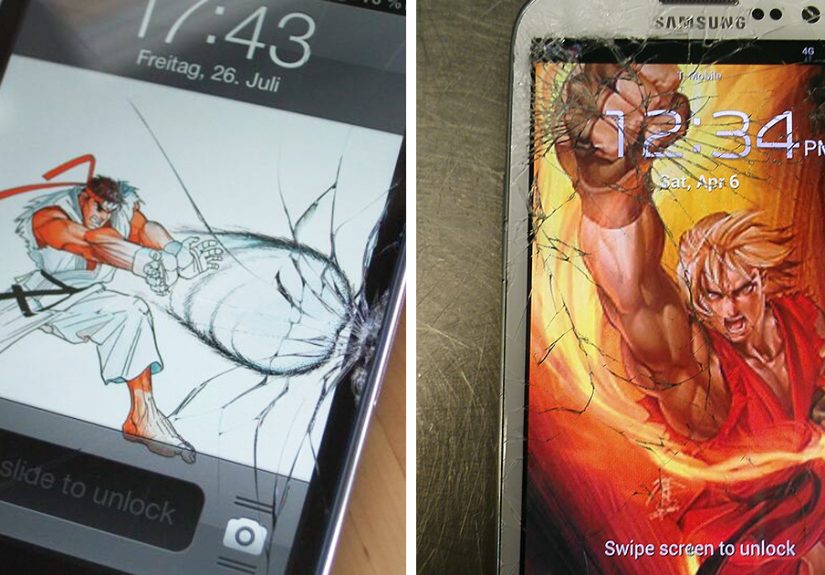
A broken phone screen is the modern version of stepping on a LEGO: it happens fast, it hurts (sometimes literally),
and it makes you question every life choice that led to “no case, no protector, raw-dogging glass.”
The good news: “fixing” a cracked screen can mean a lot of thingsstabilizing it so it doesn’t get worse,
making it usable until payday, protecting your fingers, or getting a real repair without getting ripped off.
This guide is packed with practical, mostly low-drama options that people actually usebased on how manufacturers,
consumer advocates, and reputable repair pros recommend handling cracked screens. We’ll keep it fun, but also safe:
if your screen looks like a spiderweb and your phone is acting weird, your hands and your data come first.
Before You Get Creative: A 60-Second Safety & Triage Check
- Protect your fingers: If glass is splintering or lifting, avoid swiping bare-handed. Tiny shards can cut.
- Watch for “battery trouble” signs: If the phone is hot, swelling, smells odd, or the screen is lifting, stop using it and seek professional help.
- Check what’s actually broken: A crack in the top glass is different from a damaged display (black spots, bright lines) or a failing touch layer (random taps, dead zones).
- Back up immediately: A cracked screen can fail suddenlyespecially after one more “gentle” drop.
- Avoid sketchy hacks: Strong glues and sharp tools can make the phone less safe and harder to repair properly later.
22 Creative Ways to “Fix” a Broken Phone Screen
1) The “Tempered Glass Bandage”
If the touch still works, a tempered glass screen protector can act like a stabilizing splintholding tiny cracks together and giving your finger a smoother surface.
Choose full-coverage if your phone supports it. If the screen has missing chips, consider a flexible film protector instead so it can conform without air gaps.
2) The “Case With a Roof” (Raised Lips Matter)
A sturdy case with a raised edge helps prevent the next drop from turning “cracked” into “crumbled.”
Look for cases marketed for drop protection and check that the lip sits higher than the glass.
Bonus: a good case often makes the phone safer to handle when the screen has rough edges.
3) Add a Grip So You Stop Dropping It (Ring, Strap, or Pop Grip)
Sometimes the most creative “fix” is preventing the sequel. A grip accessory reduces slip-drops during one-handed scrolling,
especially on big phones. It’s not glamorous, but neither is explaining to your parents why your screen now looks like modern art.
4) Turn On Dark Mode to Make Cracks Less Obvious
Cracks stand out more on bright white backgrounds. Switching to dark mode (and using darker wallpapers) can make the damage less visually annoying,
and it may reduce eye strain while you wait for a proper repair.
5) Lower Brightness and Disable “Tap to Wake” If You Have Ghost Touch
If the phone starts “phantom tapping,” it can open apps, type nonsense, or call people you’d rather not FaceTime.
Lowering brightness and disabling tap-to-wake can reduce accidental triggers for some devices.
It won’t cure real digitizer damage, but it can make the phone less chaotic.
6) Move Your Most-Used Apps Away From the Crack Zone
If one corner is shattered, stop forcing your thumb through the danger zone.
Rearrange home screen icons, put frequently used apps in an easy-to-reach spot, and move essential buttons away from dead areas.
It’s basically interior design, but for your phone.
7) Use Accessibility Shortcuts Like a Pro
Both iPhone and Android have accessibility features that reduce precision tapping:
bigger text, zoom, one-handed mode, and touch adjustments.
These can be lifesavers when your screen responds inconsistently or when small UI buttons live right on top of a crack.
8) Try a Soft-Tip Stylus (Not Anything Pointy)
A soft-tip capacitive stylus can help you navigate without dragging your fingertip over sharp edges.
Skip anything hard or sharpyour screen is already having a bad day.
This is especially helpful for typing, selecting tiny icons, or using apps that demand accuracy.
9) Voice Typing: Let Your Phone Do the Tapping
If typing hurts (physically or emotionally), use voice-to-text for messages, notes, and emails.
It’s faster than you think and reduces screen contact.
Yes, you may need to re-check punctuation unless you want your teacher to receive “Hello period I forgot the homework comma sorry.”
10) Voice Control for Hands-Free Navigation
Beyond dictation, voice control features can open apps, scroll, and tap interface elements by voice.
This is a surprisingly practical workaround when touch input becomes unreliableor when you’re trying not to poke a crack that looks like it’s plotting revenge.
11) Connect a Bluetooth Keyboard (and Mouse if Supported)
For longer writing, school work, or replying to messages, a Bluetooth keyboard can keep you functional while the screen is broken.
Some Android devices also support mouse input well. Pairing accessories is often a “why didn’t I do this sooner” moment.
12) Cast or Mirror Your Screen to a TV or Monitor
If the display is too damaged to see clearly, screen mirroring can save youespecially to back up data or move files.
Many phones support wireless casting; some support wired display output via USB-C adapters.
This turns your phone into a tiny computer and your cracked screen into a mildly irrelevant suggestion.
13) Use a “Temporary Home Base” Setup
If your phone is fragile, treat it like a houseplant: it can move, but it lives best in one safe location.
Use it mostly on a desk with a stand, charging cable, and minimal handling.
This reduces the chance of further damage while you schedule repair.
14) Back Up Like You Mean It (Cloud + Computer if Possible)
The most important “fix” is protecting your photos, contacts, and logins.
Do a cloud backup and, if you can, also back up to a computer.
Cracked screens sometimes fail suddenlyespecially if moisture gets inso treat backup as urgent, not “someday.”
15) Remove Sensitive Stuff Before You Hand It Over
If you’re going to a repair shop, protect your privacy: remove SIM/SD cards if applicable, log out of sensitive apps if you can,
and consider using a repair/guest mode (where available) so technicians can test basics without browsing your life.
A good shop won’t snoopbut your data deserves a seatbelt anyway.
16) Check Warranty, Protection Plans, and Credit Card Coverage
Before paying out of pocket, check what coverage you already have: manufacturer coverage (for defects), extended plans, carrier insurance,
or benefits tied to a credit card purchase. The paperwork is annoying, but it can turn “expensive mistake” into “mild inconvenience.”
17) Go Manufacturer-Authorized for the “Real Fix”
If you want the closest thing to factory-new performance, authorized repair networks are the safest bet.
Modern phones can have parts pairing, calibration steps, and waterproof seals that are easy to mess up with low-quality parts.
Authorized service is often the smoothest path back to full brightness, full touch accuracy, and full peace of mind.
18) Use a Reputable Independent Repair Shop (Ask the Right Questions)
A solid independent shop can be excellentespecially for older phones. Ask about part quality (OEM vs. aftermarket),
warranty on the repair, turnaround time, and whether they replace the whole display assembly.
If they get cagey or push weird “miracle glue” fixes, leave politely and keep walking.
19) Avoid the “Superglue Salvation” Trick
You may see people online recommending superglue or random resins in cracks. Don’t.
Strong adhesives can fog the display, ruin touch sensitivity, trap debris, and make future repairs more expensiveor impossible.
If you need a temporary surface, use a protector or film designed for screens.
20) Decide Repair vs. Replace With a Simple Value Check
Sometimes the creative fix is admitting you’re done. If repair cost is close to the phone’s current value,
and your battery is also aging, replacement may be smarter.
On the other hand, if the phone is newer and otherwise healthy, repairing the screen can protect resale value and reduce e-waste.
21) Trade It In (Even Broken) and Let It Be Someone Else’s Project
Many manufacturers, carriers, and retailers accept trade-ins with cracked screens, though the value is reduced.
If your phone is still functional, a trade-in can be a clean exit strategy: you protect your data, move your SIM/eSIM,
and stop living in fear of the next pocket-lint-induced crack expansion.
22) Upgrade Your “Anti-Crack Routine” for the Next Phone
Once you’re repaired or replaced, do the boring-smart things immediately: apply a protector, use a protective case,
add a grip accessory, and avoid carrying the phone with keys or coins.
The goal is not perfectionit’s fewer “I dropped it from eight inches and it exploded” moments.
So… What’s the Best Option?
If your screen is cracked but usable, start with stabilization (protector + case), back up your data, and use accessibility tricks to stay functional.
If there’s display damage (black blotches, colored lines) or touch is failing, skip the hacks and go straight to a professional repair or replacement decision.
And if you see swelling, overheating, or the screen lifting: stop using the phone and get help. That’s not a “creative project”that’s a safety situation.
of Real-World “Broken Screen” Experiences (and What They Teach)
People who’ve lived through a broken phone screen tend to share the same three emotions: denial (“it’s fine”), bargaining (“if I only tap gently…”),
and acceptance (“okay, I’m buying a screen protector at 9:47 p.m.”). The first experience many describe is how quickly a small crack becomes a big one.
A phone slips off a couch, lands face-down, and suddenly there’s a single hairline crack that seems harmless. Then life happens: it goes in and out of pockets,
gets bumped against a desk edge, and the crack slowly spreads like it pays rent.
Another common experience: the screen works perfectly… until it doesn’t. People often report that everything feels normal for days or weeks,
which encourages risky behaviorlike continuing to toss the phone into a backpack without protection. Then one afternoon, the touch layer starts missing taps,
the keyboard refuses to register certain letters, or the phone begins “ghost touching” and opening apps on its own. That’s when the stress spikes,
because now it’s not just uglyit’s interrupting schoolwork, rideshares, two-factor login prompts, and everyday communication.
The most practical lesson from these stories is that backup becomes real when the screen is cracked. Folks who already had cloud backup enabled
describe the repair process as annoying but manageable. People who didn’t? They describe a frantic scramble to save photos and notes before the display fades,
especially if dark blotches or flickering appear. The experienced cracked-screen survivors tend to do two backups: cloud plus a computer,
because they’ve learned that “almost backed up” is the same as “not backed up” when the phone decides it’s done.
Repair decisions also follow a familiar pattern. Many people try to “ride it out” with a case and protector, and that’s often fineespecially if the phone is older
or the crack is away from key touch zones. Others decide quickly that the phone is worth fixing properly, especially if it’s newer, has a great camera,
or still receives software updates. Another group chooses trade-in or replacement because the screen break becomes the moment they stop investing in a device
that already has a tired battery or limited storage. None of these choices are “wrong”; the best one depends on safety, budget, and how much the phone matters day to day.
Finally, people almost always change their habits after one painful screen break. They add a grip accessory. They stop carrying the phone with keys.
They apply a protector immediately instead of “later.” And they discover that boring prevention is cheaper than emergency repair.
The funny part is that the phone screen didn’t just crackit trained them. The not-funny part is that the lesson usually costs money.
So if you’re reading this with a cracked screen right now, congratulations: you’re in the learning phase. Let’s make it the last time you pay tuition for it.
Conclusion
A broken phone screen doesn’t automatically mean your phone is doomed. In many cases, you can stabilize the damage, protect yourself from sharp glass,
keep the device usable with accessibility features, and choose a repair path that fits your budget and your comfort level.
The smartest sequence is simple: stabilize, back up, protect your privacy, then repair or replace.
Your future self (and your fingertips) will thank you.






 Close
Close