
Table of Contents >> Show >> Hide
- What to Know Before You Activate
- How to Activate an American Express Gift Card in 7 Steps
- Step 1: Check Whether Your Card Actually Needs Activation
- Step 2: Gather the Card Details You Will Need
- Step 3: Use the Official Activation Method Printed on the Card
- Step 4: Enter the Requested Information Carefully
- Step 5: Register the Name, Billing Address, or ZIP Code If Prompted
- Step 6: Check the Balance Before You Spend
- Step 7: Make a Small First Purchase
- Common Problems After Activation and How to Fix Them
- How to Use Your American Express Gift Card Successfully
- Frequently Asked Questions
- Real-World Experiences Related to Activating an American Express Gift Card
- Final Thoughts
Gift cards are supposed to be simple. You rip open the package, smile politely, and immediately start shopping for things you absolutely did not need until 30 seconds ago. Then reality shows up: the card gets declined, the checkout page asks for a billing ZIP code you never set, and suddenly your “easy gift” has the drama of a season finale.
If that sounds familiar, don’t worry. Activating an American Express Gift Card is usually straightforward, but there are a few details that trip people up. The biggest surprise? Some AmEx gift cards are already ready to use, while others require activation instructions included with the card or packaging. So the goal is not just to “flip the card on,” but to make sure it is actually ready for real-world purchases online and in stores.
This guide walks you through how to activate an American Express gift card in 7 steps, how to avoid the most common mistakes, and what to do if the card still refuses to cooperate. We will also cover balance checks, ZIP code registration, online checkout problems, and the awkward little truth that gift cards are convenient right up until they become tiny plastic philosophers asking, “But what is payment, really?”
What to Know Before You Activate
Before diving into the steps, it helps to know how AmEx gift card activation usually works. American Express gift cards are prepaid cards meant for purchases where American Express is accepted, typically in the United States. They are not the same thing as a traditional AmEx credit card, and they do not behave exactly like a debit card either.
That means a few rules matter:
- Some cards are ready to use immediately, while others must be activated according to the instructions that come with the card.
- You may need to enter the card number, security code, and expiration details online or verify information by phone.
- For online purchases, you may also need to associate a name, billing address, or ZIP code with the card if prompted.
- Checking the available balance before spending is smart, because gift cards do not magically stretch to cover wishful thinking.
- Some transactions, such as subscriptions, recurring billing, hotel holds, or gas pump authorizations, can be more complicated than a normal store purchase.
In other words, activation is only half the job. The other half is making sure the card information matches what a merchant expects when you actually try to use it.
How to Activate an American Express Gift Card in 7 Steps
Step 1: Check Whether Your Card Actually Needs Activation
This is the part many people skip. Not every American Express gift card needs a separate activation step. Some come ready to use right away. Others include clear instructions on the card carrier, packaging, sticker, email, or back of the card telling you to activate it online or by phone.
So before you do anything dramatic, inspect the packaging. Look for phrases like “activate,” “register,” “go online,” “call customer service,” or “check balance before use.” If nothing indicates activation is required, your card may already be live. That does not mean you should sprint into a shopping spree yet, but it does mean the next best step is usually verifying the balance and card details.
Step 2: Gather the Card Details You Will Need
Once you confirm activation is needed, have the card in front of you. You will usually need the key details printed on it, such as:
- Card number
- Security code or card identification number
- Valid-thru date
- Your name, email, or billing ZIP code if the activation flow asks for them
This sounds obvious, but a lot of failed activations come down to entering one digit incorrectly. Gift cards are not forgiving. One wrong number and the website basically stares at you like you just tried to pay with a library card.
Step 3: Use the Official Activation Method Printed on the Card
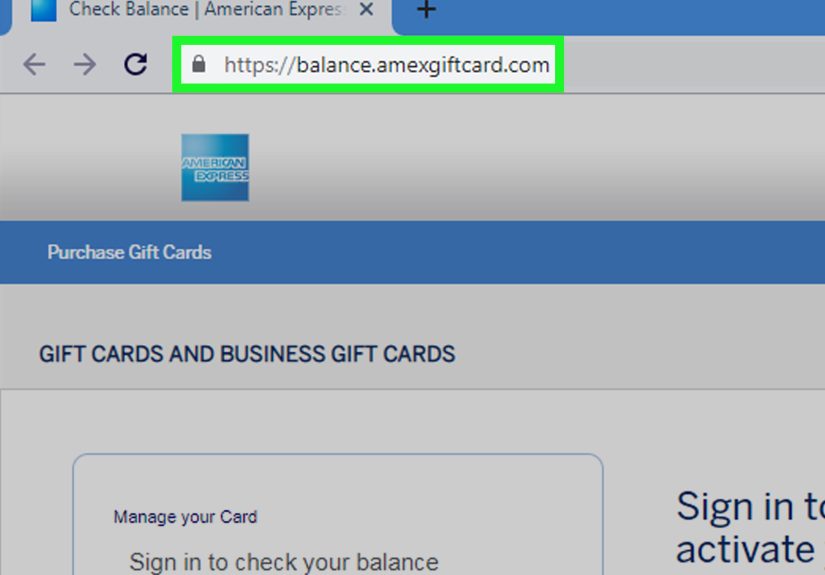
Always use the official American Express gift card activation method listed on the card or packaging. In most cases, that means going to the official AmEx gift card site or calling the customer service number shown on the back.
Avoid random “help” pages, social posts, or unofficial videos telling you to activate the card somewhere else. The safest route is the method that came with the card itself. If you bought the gift card from a major retailer, there may also be retailer-specific instructions for delivery or pickup orders, especially if the card had to be loaded or confirmed after purchase.
If you received an eGift version, follow the instructions in the delivery email. If you received a physical card, use the printed instructions that came attached to it. Easy. Beautiful. Almost suspiciously reasonable.
Step 4: Enter the Requested Information Carefully
At the activation page or automated phone system, enter the requested details exactly as shown. Do not guess. Do not swap numbers. Do not type like your keyboard owes you money.
Most activation flows ask for the card number, security code, and valid-thru date. Some may also ask you to verify personal details or confirm the purchase context. If the card was recently bought in a store, give it a little time if the receipt or packaging suggests a short activation delay after purchase. That lag can happen, especially with prepaid products sold through retail channels.
When you finish this step, you should receive a confirmation message on screen, by email, or from the automated phone system that the card is active or ready to use.
Step 5: Register the Name, Billing Address, or ZIP Code If Prompted
This is the step that saves people from online checkout heartbreak. Some merchants use address verification or ZIP code matching when processing prepaid cards. If your activation flow asks you to enter your name, billing address, or ZIP code, do it carefully and keep it consistent.
Why does this matter? Because many online stores treat gift cards like regular payment cards during checkout. If the billing ZIP code you enter on the website does not match the one linked to the card, the transaction may fail even though the card has money on it. That is the kind of nonsense that makes people question modern civilization.
If the activation system does not ask for an address, follow the instructions provided with the card and use the official balance or support portal if you later need to update or confirm cardholder information.
Step 6: Check the Balance Before You Spend
After activation, check the balance. This is not paranoia. This is wisdom.
American Express provides online balance and transaction-history tools for gift cards, and this step tells you whether the card is fully available, partially used, or temporarily reduced by a pending authorization. Knowing the current balance helps you avoid declines, awkward checkout pauses, and the classic “But it says fifty dollars right on the front” speech.
It also helps you plan how to use the card. If your balance is lower than the full purchase amount, you may need to make a split payment, and not every merchant handles that gracefully.
Step 7: Make a Small First Purchase
Once the card shows as active and the balance looks correct, make a small first purchase. This is the gift-card version of dipping one toe into the pool instead of cannonballing into chaos.
A small transaction lets you confirm that the card works with the merchant and that the billing details are being accepted correctly. After that, you can use the card more confidently for larger purchases.
For best results, keep the receipt, save the card until the balance reaches zero, and retain the card details somewhere secure in case you need support for a lost card, a refund, or a disputed transaction.
Common Problems After Activation and How to Fix Them
The Card Is “Activated” but Still Gets Declined
If your American Express gift card is active but still does not work, the problem is often not activation at all. It is usually one of these:
- The billing ZIP code or address entered online does not match the information on file.
- The purchase total is higher than the available balance.
- The merchant does not allow split payments online.
- A pending authorization is temporarily reducing your available funds.
- The merchant does not accept American Express.
Start by rechecking the balance, then confirm the billing information you entered. If the amount is close to the card balance, remember that taxes, shipping, and fees count too. Gift cards are very literal. They do not care about your optimism.
Online Checkout Keeps Rejecting the Card
Online transactions are where most readers run into trouble. The usual fix is to make sure the billing name and ZIP code match the information linked to the card. Also make sure the purchase total does not exceed the available balance.
Some websites allow only one third-party gift card per order or do not support combining a prepaid gift card with another bank card in the way shoppers expect. In those cases, using the card for an exact-amount purchase or an in-store purchase can be easier.
The Balance Looks Lower Than Expected
That can happen if there is a pending authorization. Hotels, gas stations, and sit-down restaurants sometimes place temporary holds that may be larger than the final purchase amount. If your balance is tight, those merchants can cause trouble even when the final bill should technically fit.
When possible, use the card for straightforward retail purchases first. It is a lot less stressful than explaining to a gas pump that your card is active, valid, and simply misunderstood.
How to Use Your American Express Gift Card Successfully
Once your card is active, a few habits make life easier:
- Check your balance before every larger purchase.
- Use the exact billing information associated with the card for online orders.
- Avoid recurring subscriptions unless the card terms clearly allow the transaction.
- Keep the card until all refunds and returns are finalized.
- Do not use gift cards as payment for urgent requests from strangers, “official agencies,” or suspicious callers. That is scam territory, not adulting.
If the card is lost or stolen, contact customer service right away using the official number associated with the card.
Frequently Asked Questions
Do all American Express gift cards need activation?
No. Many are ready to use when received. If activation is required, the card or packaging typically includes instructions telling you how to complete it.
Do I need to register a ZIP code?
Sometimes, yes. For online purchases especially, a billing ZIP code or address may need to match the cardholder information associated with the card. If the system prompts you for it, complete that step carefully.
Can I check the balance online?
Yes. American Express provides balance and transaction-history tools for gift cards, which makes it easier to verify funds before using the card.
Do the funds expire?
The funds on the card generally do not expire, but the physical card may have a valid-thru date. If that date passes and funds remain, you may be able to request a replacement card.
Can I use the card for subscriptions or ATM withdrawals?
Generally, no. American Express gift cards are not designed for ATM access, and recurring billing can be restricted or unreliable depending on the card terms and merchant setup.
Real-World Experiences Related to Activating an American Express Gift Card
In real life, people tend to fall into a few very predictable camps when dealing with an AmEx gift card. The first group is the lucky group. They open the package, follow the instructions, confirm the balance, and the card works on the first try. These people exist, and the rest of us would like to study them for science.
The second group is the “I thought activation was the whole job” group. They complete the official activation steps, get a success message, head to an online store, and immediately get declined. At that point they assume the card is broken, the website is broken, or the entire payment system is a personal attack. Usually the issue is simpler: the billing ZIP code was never added, the name entered at checkout did not match what was registered, or the order total quietly became larger than the card balance after tax and shipping. This is incredibly common, and it is why the best activation experience is not just activating the card, but also preparing it for the kind of purchase you actually plan to make.
Another common experience happens with people trying to spend the exact full balance online. Let’s say the card has $50. The item costs $47.99 before tax, and the shopper thinks, “Perfect.” Then checkout adds tax, maybe shipping, maybe a tiny fee, and now the total is over $50. The card gets declined, and the shopper learns a timeless financial lesson: math is undefeated. A smarter move is to buy something comfortably below the balance or use the card in a store where split payment is easier.
There is also the gas station and restaurant crowd. These users swear the card had enough money, and they are often right. The problem is that some merchants place temporary authorization holds that tie up part of the available balance. So a card that should have covered the final bill still looks too low in the moment. That experience leads many people to reserve gift cards for standard retail purchases instead of places where preauthorizations like to show off.
Then there is the “I threw away the packaging” experience. Someone gets a physical card, tosses the card carrier, and later realizes the activation instructions or support details were attached to the part now living in a landfill. That is why it helps to keep the packaging, receipt, and card details until the full balance has been used and any returns are complete.
Finally, a surprisingly common experience is emotional rather than technical: people feel weirdly embarrassed when a gift card does not work. They should not. Prepaid card issues are normal. Activation delays happen. Checkout systems vary. Some merchants handle prepaid cards elegantly, and others behave like they were coded during a lunar eclipse. The best approach is calm, methodical, and slightly suspicious of every shipping fee. Check the balance, confirm the registered billing info, try a smaller transaction, and keep the card information handy. That simple routine solves a huge percentage of real-world problems.
Final Thoughts
If you want the shortest possible version of this whole article, here it is: read the instructions that came with the card, use the official AmEx activation method, register your billing details if prompted, check the balance, and test the card with a small purchase first.
That is really the secret to how to activate an American Express gift card without unnecessary drama. The process is easy when you know what to expect, and most issues after activation come down to balance limits, billing mismatches, or merchant-specific checkout rules rather than the card being defective.
So yes, your American Express gift card can absolutely be simple. It just wants five minutes of setup, a little respect, and perhaps fewer impulsive attempts to buy a $49.99 item with a $50 card after taxes. Fair enough.







 Close
Close