
Table of Contents >> Show >> Hide
- What Does “All Circuits Are Busy” Mean?
- What Usually Causes This Message?
- How to Fix “All Circuits Are Busy”
- 1. Wait a minute, then try again
- 2. Try another number
- 3. Toggle Airplane Mode on and off
- 4. Restart your phone
- 5. Check for a carrier outage
- 6. Check your signal strength
- 7. Use the full number
- 8. Check blocked numbers, spam tools, and call settings
- 9. Turn Wi-Fi Calling on if cellular service is weak
- 10. Update your phone software and carrier settings
- 11. Reset network settings
- 12. Check your SIM or eSIM
- 13. Contact your carrier
- What If It Happens Only With One Number?
- What to Do During Emergencies or Big Outages
- How to Know When the Problem Is Serious
- Common Real-World Experiences With “All Circuits Are Busy”
- Final Thoughts
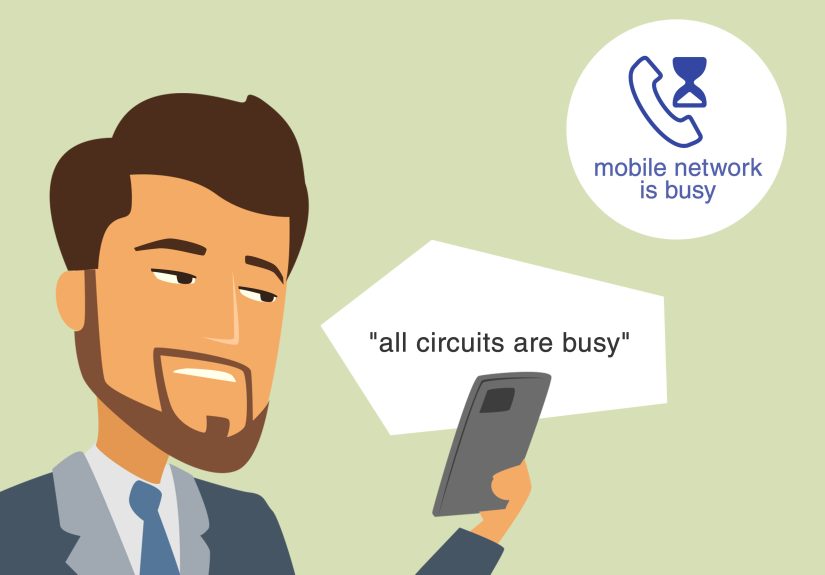
If your phone has ever barked, “All circuits are busy. Please try your call again later,” congratulations: you’ve just met one of telecom’s oldest and least charming messages. It sounds dramatic, vaguely apocalyptic, and a little like your phone has joined a 1980s switchboard. But in plain English, the message usually means your call could not find an available path through the network at that moment.
That does not always mean your phone is broken. It also does not automatically mean the other person blocked you, smashed their handset, moved into the woods, or is ignoring you with Oscar-worthy commitment. Sometimes the problem is temporary network congestion. Sometimes it is a carrier outage. Sometimes it is a routing problem, a bad saved contact, a blocked-number setting, a SIM issue, or a phone that just needs a quick reset.
The good news? In many cases, this error is fixable in a few minutes. Below, we’ll break down what “all circuits are busy” really means, why it happens, and the smartest ways to get your calls working again without going full rage-tap on the redial button.
What Does “All Circuits Are Busy” Mean?
“All circuits are busy” is a network-level message. In traditional phone language, a “circuit” is the path your call uses to travel from your phone to the other number. If the system cannot assign that path right away, you may hear a recorded announcement instead of getting connected.
Think of it like trying to merge onto a freeway when every lane is packed. Your car still works. The road still exists. But there is no clean space for you at that exact second. In telecom terms, your call attempt hits congestion, unavailable routing, or a temporary service problem and gets turned away.
On some carriers and devices, you may hear a similar message labeled as an announcement, such as “Announcement 8.” The wording can vary, but the basic idea is the same: the network could not complete the call right now.
What Usually Causes This Message?
1. The network is congested
This is the classic cause. When many people try to place calls at the same time, networks can get overloaded. That is more common during major outages, storms, emergencies, concerts, sporting events, travel rushes, and other moments when everyone suddenly decides they must call at once. Your phone may be perfectly fine, but the network is too crowded to give your call a clean route.
2. There is a carrier outage or service disruption
Sometimes the issue is bigger than your device. A local carrier outage, a switch problem, or a service interruption can prevent calls from completing. If multiple numbers fail, or if other people in your area are also having trouble, the problem may be on the carrier side.
3. You can’t reach one specific number
If the error happens only when you call one person, the issue may be more targeted. The number may be mis-saved in your contacts, blocked somewhere in the call path, missing an area code, or affected by routing trouble between carriers. In some cases, the person you are calling may have settings that interfere with incoming calls, or your number may be blocked on their end.
4. Your phone settings are getting in the way
Airplane Mode, Focus or Do Not Disturb settings, call forwarding, blocked numbers, spam filters, Wi-Fi Calling conflicts, or outdated software can all interfere with call behavior. Not every call failure produces the exact same message, but those settings can contribute to calling problems that look random and maddening.
5. Weak signal or poor building coverage
Basements, elevators, parking garages, rural dead zones, thick walls, metal buildings, and crowded public venues can all weaken a mobile signal. If your phone cannot maintain a reliable connection to the network, the call may fail before it ever gets moving.
6. SIM, eSIM, activation, or number-transfer problems
If you recently changed carriers, activated a new phone, switched SIMs, or transferred a number, your line may not be fully provisioned yet. In that case, you can see strange calling behavior until the activation finishes and the network catches up.
7. Your contact entry is messy
Yes, sometimes the villain is your own contact list. A number saved without the right country code, with an extra prefix, or from an old import can cause call failures. This is especially common when a number works for texting but not for voice calls, or when only one contact gives you grief while everyone else picks up just fine.
How to Fix “All Circuits Are Busy”
Start with the easiest fixes first. No need to leap straight to a factory reset and spiritually separate from your phone.
1. Wait a minute, then try again
If the problem is temporary congestion, a short pause may solve it. Do not hammer the redial button like you are trying to win a game show. Repeated redialing can make congestion worse, especially during network disruptions or emergencies. Give it a little breathing room.
2. Try another number
This is the fastest clue-generator. If every number fails, the issue is likely with your phone, your line, or your carrier. If only one number fails, focus on that specific contact, routing path, or possible block setting.
3. Toggle Airplane Mode on and off
Turn Airplane Mode on for about 15 seconds, then turn it off. This forces your phone to reconnect to the mobile network and often clears small connection glitches. It is the digital equivalent of taking a deep breath and trying again with better posture.
4. Restart your phone
It’s boring advice because it works. A restart can clear stuck network states, refresh your radio connection, and fix weird temporary behavior that shows up after a software update, travel, or carrier hiccup.
5. Check for a carrier outage
Visit your carrier’s outage or network status page. If there is a broader issue in your area, you can stop blaming your poor innocent phone case. If the outage is confirmed, your best move is usually to wait it out and use alternative calling methods in the meantime.
6. Check your signal strength
If you have one bar, zero bars, or the dreaded “SOS” or “Emergency Calls Only,” move to another location. Step outside, go near a window, or leave the basement lair. Weak signal is one of the most common reasons voice calls fail.
7. Use the full number
If one specific call fails, dial the full 11-digit number manually instead of tapping the saved contact. Include the area code, and if needed, the country code. This rules out bad formatting or a corrupted contact entry.
8. Check blocked numbers, spam tools, and call settings
Look for anything that could interfere with calling:
- Blocked contacts or spam lists
- Call forwarding
- Do Not Disturb or Focus settings
- Family or parental restrictions
- Caller ID or outgoing-calling restrictions
If calls fail only to one person, ask whether your number may be blocked on their device or account. Awkward? A little. Useful? Absolutely.
9. Turn Wi-Fi Calling on if cellular service is weak
Wi-Fi Calling can be a lifesaver when mobile signal is weak or unavailable indoors. If your carrier supports it and your phone is compatible, enabling Wi-Fi Calling may let you place voice calls over a solid Wi-Fi connection instead of a lousy cellular one.
10. Update your phone software and carrier settings
Old software can cause modern headaches. Install any available iOS or Android updates, and check for carrier settings updates if your device supports them. Network bugs love outdated software the way raccoons love unattended trash.
11. Reset network settings
If basic troubleshooting fails, resetting network settings can help. This clears saved network configurations and forces your device to rebuild them. Just remember that it can also remove saved Wi-Fi passwords, VPN settings, and related network preferences, so only do this when simpler fixes flop.
12. Check your SIM or eSIM
If you use a physical SIM, power the phone off, remove the SIM, reinsert it carefully, and restart. If you use eSIM, confirm the correct line is active and provisioned. After switching devices or carriers, incomplete activation can cause calling errors that seem random but are really just provisioning problems wearing a fake mustache.
13. Contact your carrier
If the error lasts more than a day, happens across many numbers, or follows a device swap or number transfer, contact your carrier. Ask them to check for line provisioning problems, routing issues, account restrictions, or a SIM/eSIM problem. That is especially important if texts work but voice calls do not, or if the problem affects only calls to one carrier or one number.
What If It Happens Only With One Number?
This is where people often jump straight to, “I’ve been blocked.” Sometimes that is true. Often, it is not.
If only one number triggers “all circuits are busy,” try this order:
- Delete the saved contact and dial the full number manually.
- Make sure you are using the correct area code or country code.
- Turn off caller ID blocking if you use it.
- Ask whether the other person has your number blocked by mistake.
- Ask whether they recently changed carriers or phones.
- Test from another phone to see if the problem follows your number or theirs.
If your call goes through from another phone but not from yours, you likely have a device, account, or routing issue. If nobody can reach that number, the problem is probably on the other side.
What to Do During Emergencies or Big Outages
When networks are strained, voice calls are often the first thing people pile onto. That means old-school calling may be the least reliable option at the exact moment everyone wants reassurance. In those situations:
- Use text messages when possible
- Keep calls brief
- Wait before redialing
- Use Wi-Fi Calling if available
- Save your battery
- Call 911 only for real emergencies
Texting often has a better chance of getting through when voice networks are crowded. It is not as emotionally satisfying as hearing a human voice, but it beats listening to your phone recite telecom poetry at you.
How to Know When the Problem Is Serious
Most “all circuits are busy” errors are temporary. But you should treat the issue as more serious if:
- Every outgoing call fails for hours or days
- You also cannot receive calls
- Your phone shows no signal, SOS, or Emergency Calls Only
- The problem began right after switching carriers or phones
- Only calls to certain carriers fail
- You rely on the line for work, medical, or family care needs
At that point, the problem may involve provisioning, a local outage, a damaged SIM, a line restriction, or a network-routing issue that requires carrier support.
Common Real-World Experiences With “All Circuits Are Busy”
One of the most common experiences is the “stadium effect.” You are leaving a packed concert or big game, everyone is trying to call a ride, and your phone suddenly acts like it has stage fright. Texts may still squeeze through, but voice calls fail because the network in that area is overloaded. In that case, your phone is usually fine. The crowd is the problem.
Another classic scenario happens at home, especially in basements, large apartment buildings, and older houses with thick walls. You have enough signal to doom-scroll and maybe enough for a text, but voice calls fail with that stubborn message. Then you walk outside, try again, and everything works. That usually points to weak indoor coverage, not a mysterious phone curse. Turning on Wi-Fi Calling often fixes this exact problem.
Then there is the “only one person” mystery. You can call your boss, your dentist, and your cousin who still uses a ringtone from 2007, but one specific number always gives you “all circuits are busy.” In real life, this often ends up being a bad saved contact, a missing area code, caller ID blocking, or a problem after one person changed carriers. It can feel personal, but sometimes the real enemy is an outdated contact card imported from three phones ago.
A lot of people also run into this issue right after getting a new device or moving their number to a new carrier. Texting may work. Data may sort of work. But calls are weird, patchy, or impossible. That often points to activation or provisioning still being incomplete. In other words, the phone has shown up to work, but the network has not finished filing the paperwork.
There is also the outage experience, which tends to create maximum confusion. One morning your phone cannot complete calls, social media starts filling with “is it just me?” posts, and suddenly half the city is toggling Airplane Mode like it is a religious ritual. In these cases, checking your carrier’s outage page can save you time. If the network is down, the smartest move is often to stop troubleshooting things that are not broken and switch to Wi-Fi, texting, or app-based calling until service stabilizes.
Some people see the message mostly when calling customer service or toll-free numbers. That can happen when heavily used lines are slammed, when a number is being dialed in an odd format, or when a carrier has restrictions on certain prefixes. Manually entering the full number instead of tapping a saved contact can sometimes solve the problem faster than you’d expect.
And yes, there are those maddening cases where restarting the phone actually works. Nobody loves that answer because it feels too simple, almost insulting. But phones get stuck, radios get weird, software hiccups happen, and sometimes a reboot really is the shortest path back to normal life.
Final Thoughts
“All circuits are busy” sounds like a message from a retro telephone museum, but the issue behind it is still modern: your call could not get through the network right now. Sometimes that is because of congestion. Sometimes it is a carrier outage. Sometimes it is a settings problem, a bad contact entry, weak signal, or a SIM or activation issue.
The fastest fixes are usually simple: wait a moment, avoid repeated redialing, check whether it is one number or all numbers, toggle Airplane Mode, restart your phone, confirm you have signal, try Wi-Fi Calling, and check your carrier’s outage page. If the issue sticks around, move on to software updates, network resets, and carrier support.
In other words, your phone is not necessarily broken. It may just be stuck in traffic. And unlike actual traffic, this one can often be solved without yelling at anyone through a windshield.







 Close
Close