
Table of Contents >> Show >> Hide
- Before You Diagnose Anything, Start With Safety
- 1. Diagnose Why the Ceiling Fan Will Not Turn On
- 2. Diagnose a Wobbling or Shaking Ceiling Fan
- 3. Diagnose Ceiling Fan Noises: Clicking, Humming, Rattling, and More
- 4. Diagnose Weak Airflow, Wrong Speed, or “This Fan Barely Does Anything” Problems
- When to Stop Diagnosing and Call a Professional
- Conclusion
- Homeowner Experiences and Real-World Lessons From Ceiling Fan Troubleshooting
- SEO Tags
Ceiling fans are supposed to be the low-maintenance heroes of home comfort. They spin, they breeze, they mind their own business. Then one day your fan starts wobbling like it had three cups of coffee, humming like it is auditioning for a garage band, or refusing to turn on at all. Suddenly, that innocent fixture overhead becomes a full-blown household mystery.
The good news is that most ceiling fan problems follow a pattern. Before you assume the motor is toast or start shopping for a new fan at midnight, you can usually narrow the issue down with a few smart checks. In many cases, the culprit is something simple: a loose blade screw, a drained remote battery, uneven blade alignment, or a switch that is not fully engaged. In other cases, the fan is warning you that the mounting hardware or electrical setup needs attention right away.
This guide walks through four practical ways to diagnose a problem in your ceiling fan. Think of it as a homeowner-friendly checklist with just enough technical detail to be useful and not enough to make your eyeballs file a complaint. We will cover power problems, wobbling, strange noises, and weak airflow or speed issues. Along the way, you will also learn when a problem is still in DIY territory and when it is time to call a licensed electrician.
Before You Diagnose Anything, Start With Safety
Before you poke, prod, tighten, or remove anything, turn the fan off and shut power off at the breaker. Not just the wall switch. The breaker. If you need to inspect wiring, use a voltage tester and make sure the circuit is dead before touching anything. And if the fan is mounted to an old electrical box that is not rated for a ceiling fan, do not keep troubleshooting as if that is a minor detail. It is not. A ceiling fan needs a fan-rated outlet box that is properly secured to the building structure.
A safe diagnosis starts with a stable ladder, good lighting, and an honest answer to one question: “Do I actually want to mess with wiring above my head today?” If the answer is no, congratulations on your self-awareness. That is what electricians are for.
1. Diagnose Why the Ceiling Fan Will Not Turn On
If your ceiling fan is completely unresponsive, resist the urge to declare it “dead” after one dramatic stare. A fan that will not start often has a power, control, or connection issue rather than a failed motor.
Start with the obvious controls
Check the wall switch first. Then check the pull chain, if your fan has one. A surprising number of “broken” fans are simply switched off at one control point while the homeowner is testing a different one. If your fan uses a remote, press the fan’s power button and replace the battery before assuming something more serious is going on.
Next, look at the reversing switch on the motor housing. If that little switch is sitting awkwardly between positions, the fan may not run properly. Make sure it is pushed fully to one side. It is a tiny part with big “why is nothing happening?” energy.
Check the breaker and basic electrical flow
If the switch and controls seem fine, check the circuit breaker. Reset it once if needed. If it trips again, stop there and call a professional. Repeated breaker trips are not a personality quirk. They are a warning sign.
If the breaker is on but the fan still does nothing, inspect the canopy area only after shutting off power at the panel. Loose wiring connections inside the canopy are a common cause of failure. Also check plug-style connections in the switch housing if your model uses them. A partially seated connector can leave the light working while the fan motor does absolutely nothing useful.
Test the blades and remote system
With power off, gently spin the blades by hand. They should move freely. If they feel stiff, scrape, or stop abruptly, that points to a mechanical issue rather than a power issue. If the fan uses a remote receiver, the receiver itself may be the problem. In remote-controlled models, dead batteries, lost pairing, mismatched frequency settings, or an incompatible wall speed control can all interfere with operation.
What this diagnosis usually means:
- No response at all: breaker, wall switch, wiring connection, remote receiver, or failed control component
- Light works but fan does not: pull chain position, motor wiring, reverse switch, receiver, or motor-related issue
- Remote works inconsistently: battery, pairing, receiver, or dip-switch mismatch
If you confirm there is no power at the switch or the wiring seems questionable, stop the DIY investigation there. That is your cue to call an electrician, not your cue to become one by force.
2. Diagnose a Wobbling or Shaking Ceiling Fan
A little movement is normal. A lot of movement is your fan’s way of saying, “We need to talk.” If the wobble is noticeable, gets worse at higher speeds, or makes the whole fixture look like it is reconsidering gravity, do not ignore it.
Clean the blades first
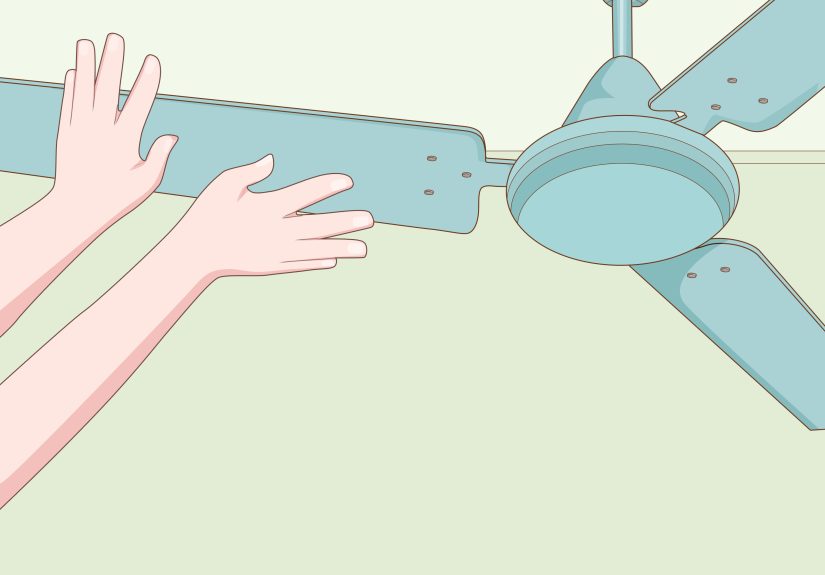
Dust buildup sounds harmless until it piles unevenly across the blades and throws the fan out of balance. Start by cleaning the top and bottom of each blade. This step is simple, but it solves more wobble problems than people expect. Ceiling fans are magnets for dust, and dust is very good at ruining a perfectly innocent spin cycle.
Tighten every screw you can safely reach
Check the blade screws, blade arm screws, motor housing screws, and mounting hardware. Even one slightly loose screw can create a wobble that looks much more dramatic than the actual cause. This is especially common after months of normal use or seasonal changes when the fan has been off for a while.
Measure blade alignment
If tightening does not solve it, measure the distance from the ceiling to the tip of each blade. Rotate one blade at a time to the same point and compare the measurements. The blade tips should be very close to one another. If one blade sits higher or lower than the others, you may have a bent blade arm, a warped blade, or an installation issue.
This is one of the best diagnostic tricks because it moves the conversation from “it looks weird” to “blade three is actually off by more than it should be.” Precision is a beautiful thing when your ceiling fixture is acting like a helicopter.
Check the mount, downrod, and outlet box
If the blades are aligned and the screws are tight, the problem may be above the fan instead of on the fan. Check that the hanger ball is seated correctly in the bracket and that the downrod hardware is secure. Also make sure the outlet box is fan-rated and firmly mounted. A poorly secured box or bracket can cause wobble, noise, and, in worst-case scenarios, an unsafe installation.
What this diagnosis usually means:
- Wobble after months of use: loose fasteners or dust buildup
- Wobble at all speeds: blade alignment or bad mounting
- Wobble after installation: hanger ball, bracket, downrod, or outlet box problem
- Wobble that improves with balancing: uneven blade weight
If needed, use a balancing kit after the cleaning, tightening, and alignment checks are done. A balancing kit is the finishing step, not the first guess.
3. Diagnose Ceiling Fan Noises: Clicking, Humming, Rattling, and More
A ceiling fan that makes noise is often trying to tell you exactly what is wrong. You just have to translate Fan Language, which is mostly clicks, hums, and suspicious rattles.
Clicking usually points to loose parts
A clicking sound is often caused by loose blade screws or loose blade holders. Tightening those parts is the first move. If the click happens only at certain speeds, pay attention to whether the blade hardware is shifting slightly under motion. Even a small amount of play can create a repeating click that sounds much worse from the floor.
Humming often points to hardware or fit issues
A humming fan can be caused by loose screws around the motor housing, blade irons, or canopy. On some models, the canopy cover ring may not fit snugly, which creates a vibration that sounds electrical even when it is just mechanical. If your fan has a light kit, check that the glass and bulb components are secure and not touching other parts.
Rattling may be wiring or receiver related
If the noise seems to come from inside the switch housing or canopy, wire nuts may be rattling against each other or against the housing. On remote-controlled fans, the receiver can also be a noise source. Some troubleshooting guides suggest bypassing the receiver temporarily to determine whether the noise stops. If it does, the receiver may be the issue. If it does not, a capacitor or another internal component may be involved.
What this diagnosis usually means:
- Clicking: loose blade screws or blade holders
- Humming: loose motor housing screws, canopy fit, or light-kit contact
- Rattling: loose wire nuts, canopy vibration, or remote receiver problem
- Noise plus wobble: mounting, blade imbalance, or bracket issue
If the noise is paired with visible wobbling, treat the wobble as the priority. A noisy fan is annoying. A loose, noisy fan is annoying with ambition.
4. Diagnose Weak Airflow, Wrong Speed, or “This Fan Barely Does Anything” Problems
Sometimes the fan runs, but the airflow feels underwhelming. It spins, sure, but so does a lazy carnival ride. Weak performance can come from settings, direction, airflow conditions, or hardware and control issues that keep the fan from reaching proper speed.
Check blade direction first
In summer, the fan should usually run counterclockwise to create a cooling downdraft. In winter, it should run clockwise on low to help circulate warm air. If the direction is wrong, the fan may seem weak even when the motor is doing its job. Many people misdiagnose poor airflow when the only real problem is that the fan is helping winter in the middle of July.
Make sure the speed control is actually correct
If the fan uses a pull chain, cycle through each speed. If it uses a remote, test each speed setting and make sure the remote is functioning correctly. On remote-control systems, battery problems, receiver issues, and incompatible wall controls can keep the fan from operating normally. Some fans with remote systems are meant to work only with a basic on/off wall switch, not a separate speed-control wall unit.
Look for drag, dust, or placement issues
Dirty blades, clogged motor vents, or blades that do not spin freely can all reduce performance. So can poor placement. A fan that is too small for the room may technically work fine while still feeling disappointing. That is not always a “repair” problem; sometimes it is a sizing problem wearing a disguise.
Know what performance metrics actually matter
When fans are evaluated for efficiency, one important measure is CFM/W, or cubic feet per minute per watt. In plain English, that means how much airflow the fan produces for the energy it uses. For diagnosing an existing fan, you do not need to calculate anything. You just need to understand that a fan can be running without delivering strong airflow if the speed is limited, the direction is wrong, or the model is simply undersized for the space.
What this diagnosis usually means:
- Weak breeze in summer: wrong blade direction
- Low speed only: remote, receiver, control, or capacitor issue
- Runs but feels ineffective: dirty blades, drag, or undersized fan
- Good speed but poor comfort: room layout, ceiling height, or placement issue
When to Stop Diagnosing and Call a Professional
Some ceiling fan problems are well within basic DIY territory. Cleaning blades, replacing remote batteries, tightening visible screws, and checking blade alignment are all reasonable homeowner tasks. But once you get into uncertain wiring, non-fan-rated outlet boxes, repeated breaker trips, or suspicious mounting instability, it is time to call a licensed electrician.
The same goes for fans that continue wobbling after tightening and balancing, fans that refuse to operate after control checks, or installations where you are not sure the electrical box is rated for fan support. A ceiling fan is not especially heavy compared with some fixtures, but it is heavy enough to become a serious problem if it is mounted badly and then asked to spin for years.
Conclusion
The easiest way to diagnose a problem in your ceiling fan is to think like a detective and not like a shopper. Start with the simplest explanations first: power, controls, dust, loose screws, and blade direction. Then move to alignment, mounting hardware, canopy connections, and remote components. In many cases, the problem is not mysterious at all. It is just hiding behind a little noise, a little wobble, or a switch no one has touched since last winter.
If you work through these four diagnostic paths carefully, you can usually identify whether your fan needs a quick fix, a balancing adjustment, a control repair, or a professional inspection. And if the fan turns out to be fine but the room still feels stuffy, at least you will know the problem is not your overhead spinner plotting against you. It was just misunderstood. Or dusty. Probably dusty.
Homeowner Experiences and Real-World Lessons From Ceiling Fan Troubleshooting
One of the most common real-life ceiling fan experiences starts with a sentence like this: “It was working fine yesterday.” That is what makes fan problems so maddening. Most homeowners do not notice a slow decline. They notice a moment. Maybe the fan starts clicking during dinner. Maybe it wobbles for the first time after spring cleaning. Maybe the light works, but the blades refuse to move, which feels unfair in a very specific way. The practical lesson is that ceiling fans rarely become “mysteriously broken” out of nowhere. Usually, they give subtle clues before the obvious failure shows up.
Another common experience is misdiagnosis by frustration. A homeowner hears humming and assumes the motor is dying, only to discover that one loose canopy screw was causing the entire soundtrack. Someone else notices a weak breeze and starts shopping for replacements, then flips the direction switch and realizes the fan was simply set for winter. It happens all the time. Ceiling fan troubleshooting rewards patience because symptoms can be misleading. The noise may not come from where you think it does, and the wobble may be caused by the mount rather than the blades.
There is also the classic “I tightened one screw and the problem disappeared” story. Those are the best stories because they cost almost nothing and make you feel wildly competent for the rest of the afternoon. Loose blade screws, dusty blades, and drained remote batteries are the kind of fixes that make homeowners look like magicians. But there is an opposite version too: the homeowner who keeps tightening visible parts while the real issue is a poor ceiling box or loose mounting bracket above the canopy. That experience matters because it reminds people not to stop at the most convenient explanation.
Many people also discover that ceiling fan issues are seasonal. Fans often get ignored through part of the year, then suddenly go back into service when the weather changes. That is when hidden problems show up. Dust buildup from months of sitting still can throw off balance. Batteries in remotes die quietly. Blade direction stays set for the wrong season. The fan did not betray you; it just waited until the first hot day to reveal all your maintenance procrastination at once.
Perhaps the most valuable homeowner experience is learning the difference between a repair problem and an installation problem. If a fan has always wobbled, always made noise, or always felt weak, the issue may not be wear and tear at all. It may be an installation detail that was wrong from day one. That insight saves time, money, and a lot of muttering at the ceiling.







 Close
Close