
Table of Contents >> Show >> Hide
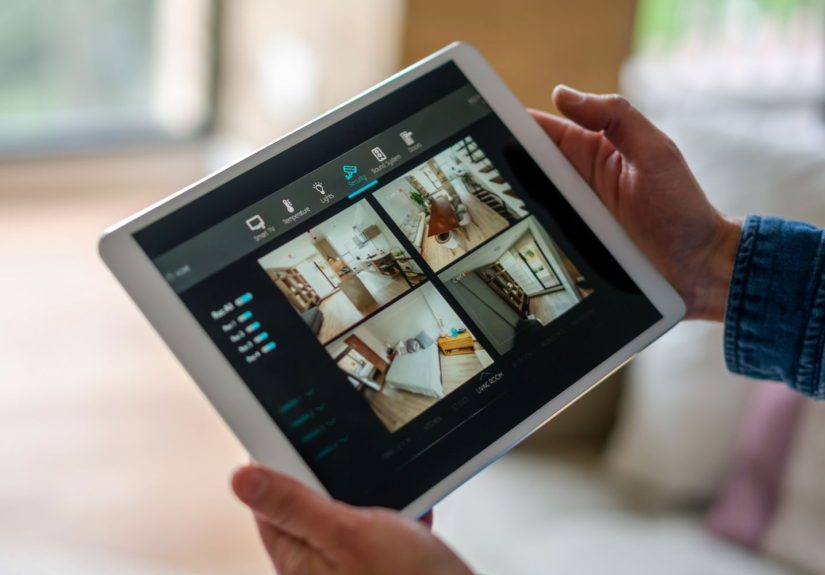
If you are shopping for a security camera in 2025, here is the plot twist nobody tells you soon enough: the camera matters, but the app matters more. A sharp lens is nice. A fast, reliable app that lets you see what happened, filter out nonsense alerts, and check your house without feeling like you are solving a puzzle in an escape room? That is the real prize.
The best security camera apps now do far more than show a live feed. They sort events, label people and packages, create activity zones, surface the moments that matter, and increasingly add AI-generated summaries so you do not have to stare at twenty clips of leaves doing leaf things. After comparing the features that matter most in real life, these are four of our favorite security camera apps for 2025: Ring, Arlo, Google Home, and Wyze.
To be clear, there is no single “perfect” home security camera app for every house. Some are better for Alexa homes. Some shine if you care about AI notifications. Some are excellent if your budget says “champagne taste, grocery-store sparkling water wallet.” But these four stand out because they make daily security tasks easier, not harder.
How We Picked Our Favorite Security Camera Apps
A security camera app earns its keep when it helps you answer four questions quickly:
- What happened? A good timeline, event history, and useful thumbnails are non-negotiable.
- Do I need to care right now? Smart alerts, activity zones, and object detection should cut through the noise.
- Can I control everything easily? We want live view, device grouping, settings, and automations that do not feel buried in a digital basement.
- Is it worth the money? Some apps are great only after a subscription. Others are surprisingly capable before you pay extra.
We also looked at real-life usability. That means how fast notifications show up, how easy it is to jump from alert to live video, how smoothly you can review clips, and whether the app actually helps when you are away from home, half awake, or both.
| App | Best For | Why We Like It |
|---|---|---|
| Ring | Polished alerts and Alexa-heavy homes | Excellent notification flow, strong dashboard, and very easy day-to-day control |
| Arlo Secure | Advanced alert tuning | Deep detection options, strong activity zones, and a more serious-feeling security setup |
| Google Home | Smartest interface for Google users | Clean design, helpful activity filtering, and impressive AI-driven organization |
| Wyze | Budget shoppers who still want useful features | Affordable, flexible, and much better than its price tag suggests |
1. Ring App
Best for polished alerts and quick daily check-ins
The Ring app remains one of the easiest home security camera apps to live with. That sounds boring until you remember that “easy to live with” is exactly what you want from an app you may open ten times a day. Ring does a great job surfacing the things normal people actually need: camera previews, event history, location-based organization, device modes, and a dashboard that does not make you hunt for basic controls.
What really makes the Ring app a favorite is alert management. Motion Zones help reduce the classic security-camera headache of being notified every time a car glides by, a squirrel auditions for chaos, or your bushes start a dance routine in the wind. Smart Alerts can also narrow notifications to people, vehicles, and packages on supported devices. That means fewer “why is my phone buzzing?” moments and more “oh, the package finally arrived” clarity.
Ring also deserves credit for its notification experience. Video Preview Alerts and rich notifications let you get useful context fast, which is the entire point of a security app. In 2025, Ring pushed further with AI-powered Video Descriptions on higher-tier plans, adding quick text summaries of what the camera saw. That feature will not turn your camera into Sherlock Holmes, but it does help you decide whether to open the clip immediately or finish brushing your teeth first.
Another reason we like Ring is the app’s strong multi-device feel. If your home includes video doorbells, floodlights, indoor cameras, and an alarm system, Ring ties them together well. The app is especially attractive for Alexa users who want one ecosystem instead of a smart-home soap opera with too many characters.
Where Ring shines: intuitive dashboard, strong notification design, easy event review, good smart-home integration, and a polished experience that feels built for actual households.
What to watch for: some of the most useful intelligent features sit behind a subscription, so the best version of Ring is not always the cheapest version of Ring.
2. Arlo Secure App
Best for people who want more control over detections
If Ring is the smooth everyday operator, Arlo is the app for users who like precision. The Arlo Secure app feels more security-forward, and that is a compliment. It is particularly strong if you care about fine-tuning alerts, defining activity zones carefully, and deciding exactly what kinds of motion deserve your attention.
Arlo’s detection toolkit is one of its biggest selling points. Depending on plan and device, the app can sort alerts for people, packages, vehicles, animals, and even fire-related events, while audio detection options can include smoke or carbon monoxide alarms, glass break, dog bark, scream, and other sounds. That is a lot of signal filtering, and it is genuinely helpful when you want a camera system that behaves more like an assistant and less like a hyperactive intern.
Activity Zones are another Arlo strength. If you only care about your driveway, gate, porch, or side yard, the app lets you be specific. This matters more than many buyers realize. A good security camera app is not just about seeing everything. It is about highlighting the right things.
We also like that Arlo has continued leaning into AI features and advanced detections. While some rivals offer more consumer-friendly branding, Arlo often feels like it is building for users who want the security side of “smart home” to be taken seriously. The app makes sense for larger properties, households with multiple camera angles, or anyone who wants a bit more depth than the average plug-it-in-and-hope setup.
Where Arlo shines: strong activity zone controls, serious detection options, a more advanced security feel, and very good fit for users who want detailed alert customization.
What to watch for: Arlo is powerful, but the full experience often depends on a paid plan. If you want premium features without premium pricing, your wallet may give you side-eye.
3. Google Home App
Best for smart organization and the cleanest overall interface
Google Home has become one of the most appealing security camera apps for users who want a modern interface and a smarter way to review what happened at home. It is especially strong for Nest camera owners and households already invested in the Google ecosystem.
What stands out first is the app’s structure. The Favorites tab makes it easy to pin the devices and controls you use most, and Google has improved that experience with more personalized layouts. The Activity view is one of the app’s biggest strengths because it helps filter important events instead of dumping everything into a giant, noisy pile. In other words, Google Home behaves like it understands that your time is finite and your patience is not a renewable resource.
For security camera users, Google Home is at its best when you want quick access to video history, activity filtering, and cleaner organization across multiple devices. Activity Zones are useful and flexible, and for paid subscribers, Google Home Premium adds more advanced features such as longer history, familiar face detection, AI notifications, and broader activity review. The rebrand from Nest Aware to Google Home Premium also signals where Google is headed: a more centralized smart-home and camera experience inside one main app.
Google’s software polish is a real advantage. In expert testing and current feature rollouts, Google has continued to look strong when it comes to AI-driven camera intelligence and overall user experience. The app feels refined, and the interface usually makes sense the first time you use it, which should not be a luxury but somehow still is in the smart-home market.
If your home already runs on Google Assistant, Nest speakers, a Pixel phone, or other Google-friendly gear, the Google Home app becomes even more appealing. It feels cohesive in a way that many smart-home apps still do not.
Where Google Home shines: clean design, excellent activity organization, strong ecosystem integration, and some of the smartest camera-related software features available.
What to watch for: the best AI and history features improve dramatically with a subscription, so free users may get a taste of the magic rather than the whole show.
4. Wyze App
Best value for budget-friendly security camera shoppers
The Wyze app has long been popular with people who want affordable home security cameras, but it is no longer just the “cheap and cheerful” option. In 2025, Wyze remains one of our favorite security camera apps because it delivers a lot of functionality for the money, and its software experience keeps getting more capable.
The app’s layout is practical. The Home tab, Favorites, Events, Monitoring, and Automations work together well, and it is easy to jump into live streams from your preferred cameras. For people with several low-cost cameras scattered around the house or yard, that matters. Wyze does not demand a premium budget to give you a workable, flexible command center.
Where Wyze gets especially interesting is AI-enhanced alerts. Higher-tier plans add Descriptive Alerts, which turn vague notifications into more readable summaries, plus AI Video Search that helps you find specific moments faster. Friendly Faces and other smart detection features also make Wyze feel more advanced than its budget reputation suggests.
This is why Wyze keeps making “best budget” lists year after year. It is not just that the cameras are affordable. It is that the app is good enough to make a whole lower-cost system feel genuinely useful. For renters, first-time smart-home buyers, college grads furnishing their first apartment, or homeowners who want broad coverage without a scary total at checkout, Wyze is easy to recommend.
Where Wyze shines: strong value, easy multi-camera access, useful automations, and advanced features that feel generous for the price tier.
What to watch for: Wyze can still feel a little more “busy” than Google Home or Ring, and some of the coolest AI features live in subscription tiers rather than the basic experience.
Which Security Camera App Is Best for You?
If you want the simplest answer, here it is:
- Choose Ring if you want an easy, polished app with excellent alerts and strong Alexa compatibility.
- Choose Arlo if you care most about advanced detections and more serious security controls.
- Choose Google Home if you want the cleanest interface and the smartest software experience in a Google-centered home.
- Choose Wyze if you want the best value and a surprisingly capable app without spending premium money.
The right choice depends on how you actually use a home security camera app. Some people mainly check package deliveries. Some want to monitor pets. Some need to keep an eye on elderly parents, side gates, garages, or vacation properties. The best app is not the one with the longest feature list. It is the one that helps you do your specific job faster, with fewer annoying alerts and less app-hopping.
What We Have Learned From Using Security Camera Apps in Real Life
Here is the part that glossy product pages usually skip: living with a security camera app every day is a very different experience from setting one up once and admiring it like a new kitchen appliance. Over time, little things become huge things. A two-second delay on live view suddenly matters when you are checking whether that thud on the porch was a package or the neighborhood raccoon launching another mission. A cluttered event history becomes maddening when you are trying to find the one moment your dog escaped through the side gate. And vague notifications like “motion detected” are only helpful if your goal is to raise your blood pressure before breakfast.
That is why our favorite security camera apps are the ones that reduce friction. Ring, for example, feels great when you want to check something fast and move on with your life. The alert comes in, you tap it, and you are usually where you need to be. Arlo feels more like the app you appreciate after a few weeks, when you realize the extra tuning options are saving you from fifty pointless notifications a day. Google Home wins people over when they want a cleaner, calmer interface that does not fight them. Wyze is the app that makes you say, “Wait, I got all this for that price?” which is always a fun sentence.
We have also learned that one camera app can feel totally different depending on your household. In a busy family home, package alerts, recognizable event history, and easy multi-user access are a big deal. In a quieter apartment, you may care more about fast live view, privacy settings, and being able to monitor a front door without getting a notification every time your upstairs neighbor sneezes dramatically in the hallway. In homes with pets, activity zones and person detection become lifesavers, because otherwise your camera starts treating your golden retriever like an international suspect.
Another real-world lesson: subscriptions matter more than buyers expect. Many apps look fine at first, but their personality changes once you realize the smartest alerts, longer history, and best search tools live behind paid plans. That does not automatically make them bad deals, but it does mean you should budget for the app experience, not just the hardware box on the shelf.
Privacy and account security matter, too. Whatever app you choose, it is smart to turn on two-factor authentication, review shared-user access, and spend a few minutes adjusting motion zones and notification filters. Those tiny setup steps often make the difference between a useful security system and a noisy digital roommate who never stops talking.
In the end, the best security camera apps are the ones that fade into the background until you need them, and then work instantly. That is the dream. You do not want drama. You want proof, speed, and maybe a satisfying clip of the delivery driver gently placing your package instead of punting it toward the welcome mat. These four apps come closer than most to delivering that experience in 2025.
Final Take
The best security camera apps for 2025 are not just companion tools anymore. They are the product. They decide whether your smart camera feels genuinely smart or just technically employed. Ring, Arlo, Google Home, and Wyze all earned a place on this list because they do the basics well, keep improving, and offer real advantages depending on your setup and budget.
If you want the most balanced everyday experience, Ring is hard to beat. If you want deeper detection controls, Arlo is a strong pick. If you want the cleanest, smartest interface in a Google ecosystem, Google Home is excellent. And if you want serious bang for your buck, Wyze keeps punching above its weight.
Choose the app that fits your house, your habits, and your tolerance for pointless notifications. Your future self, standing in line at the grocery store and checking whether the garage door is closed, will be grateful.





 Close
Close