Table of Contents >> Show >> Hide
- What Does “Apple TV” Actually Mean?
- How Apple TV Works
- Do You Need the Apple TV 4K Box?
- What Can You Watch on Apple TV?
- How the Apple TV 4K Hardware Makes Things Better
- Apple TV vs. Other Streaming Devices
- Who Should Use Apple TV?
- Common Apple TV Questions
- Real-World Experiences With Apple TV
- Final Thoughts
If you have ever asked, “What is Apple TV?” and then immediately felt like you needed a flowchart, a decoder ring, and maybe a snack, you are not alone. Apple has managed to use the words Apple TV for a streaming box, an app, and a subscription service. That is efficient branding, sure, but it is also a fantastic way to make normal people squint at their screens and whisper, “Wait, which Apple TV are we talking about?”
Here is the simple version: Apple TV can mean the Apple TV 4K streaming device, the Apple TV app, or the Apple TV subscription service. They work together, but they are not the same thing. Once you understand that, the whole setup starts to make sense. In fact, it starts to look pretty clever.
This guide breaks down what Apple TV is, how it works, what you can watch on it, whether you need the box, and who will actually enjoy using it the most. Spoiler alert: if you already live in the Apple ecosystem, Apple TV can feel less like a streaming gadget and more like your living room got promoted.
What Does “Apple TV” Actually Mean?
The phrase Apple TV usually points to one of three things. Knowing the difference is the key to avoiding tech confusion at family gatherings.
1. Apple TV 4K: the physical streaming box
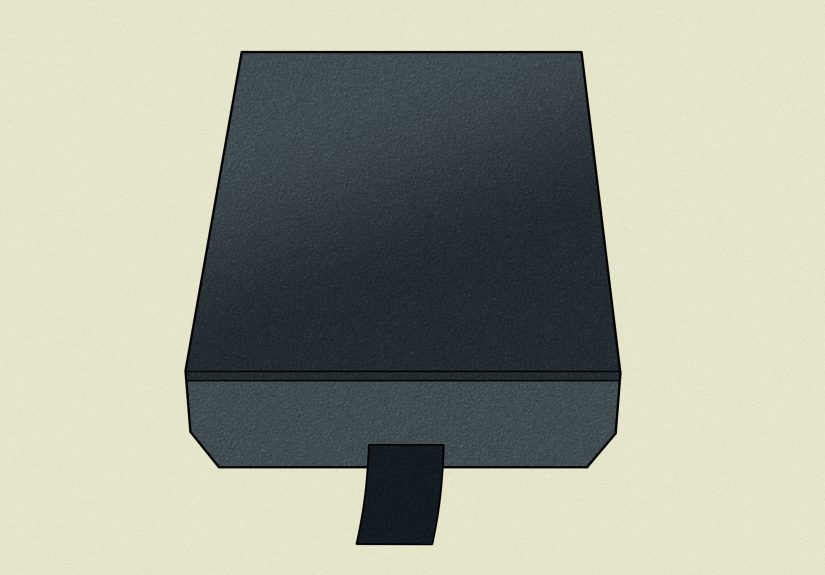
This is the little black box that plugs into your television through HDMI. It connects to the internet and turns almost any TV into a polished streaming hub. You use it to open apps, watch shows, rent movies, play music, browse photos, make FaceTime calls on your TV, and even play some games. It comes with Apple’s Siri Remote, so you can click, swipe, or ask for what you want with voice search.
2. The Apple TV app
This is Apple’s video app. It exists on Apple devices, many smart TVs, streaming devices, game consoles, and the web. The app is where you watch Apple Originals, access your movie purchases, rent titles, continue shows you started elsewhere, and sometimes subscribe to extra channels. Think of it as the front door to Apple’s video world.
3. Apple TV: the subscription service
This is the paid streaming service that gives you access to Apple Originals, including original series, films, documentaries, and select live sports content. It is separate from buying or renting movies and separate from many third-party streaming subscriptions. In plain English, paying for Apple TV does not magically unlock every movie on the app. That would be too easy, and apparently we cannot have that.
How Apple TV Works
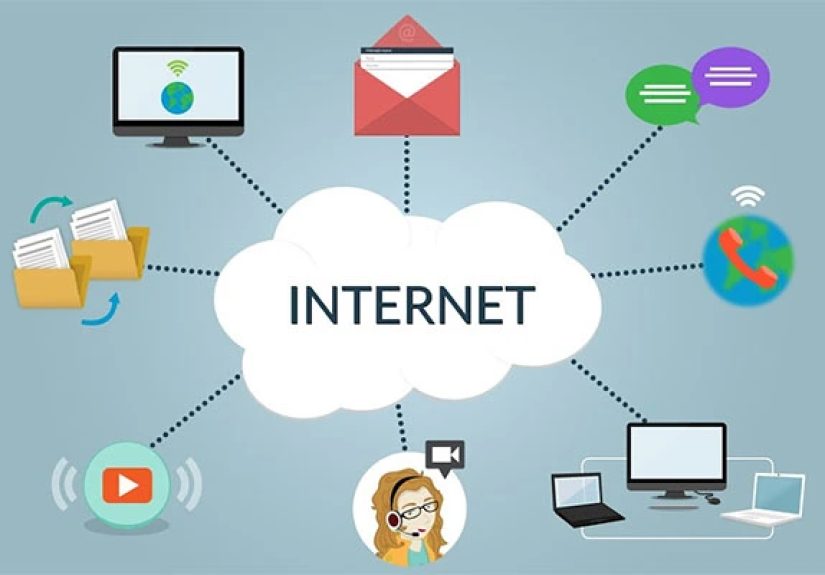
At its core, Apple TV works like other streaming platforms: it uses your internet connection to deliver video and audio to your screen. But Apple adds a few layers that make the experience feel more integrated, especially if you use an iPhone, iPad, Mac, AirPods, or HomePod.
Step 1: You choose your setup
You can use Apple TV in two main ways:
- With an Apple TV 4K box, which gives you the fullest experience and the smoothest interface.
- With the Apple TV app on another device, such as a smart TV, Roku, Fire TV, Google TV device, game console, or web browser.
If you only want to watch Apple Originals, the app may be enough. If you want the full Apple-style living room experience, the dedicated box is the star of the show.
Step 2: You sign in with your Apple Account
Once signed in, Apple can sync your purchases, subscriptions, watch history, recommendations, and profile settings. That means if you start a show on your iPhone during lunch and continue it on your TV later, the handoff feels seamless instead of weirdly medieval.
Step 3: You browse content
Inside the Apple TV app, you can browse Apple Originals, live sports offerings, your library of purchased titles, rentals, and participating channels or apps. Apple’s interface is designed to surface recommendations, trending content, and a “continue watching” style queue, so you can jump back into whatever you were halfway through before life interrupted.
Step 4: You stream, rent, buy, or subscribe
What happens next depends on the content:
- Some titles are included with the Apple TV subscription.
- Some can be rented or purchased individually.
- Some require a separate channel or third-party subscription.
This is one of the biggest things to understand. The Apple TV app is a content hub, but not everything inside it is included with the subscription. It is more like a mall than an all-you-can-eat buffet.
Do You Need the Apple TV 4K Box?
Not always. A lot of people can watch Apple TV content without buying Apple hardware at all. If your smart TV, streaming stick, or game console supports the Apple TV app, you can sign in there and start watching.
That said, the Apple TV 4K box offers several advantages that the app alone cannot fully match.
Why people buy the Apple TV 4K
- Faster performance: Menus feel snappy and polished.
- Cleaner interface: It is widely praised for feeling less cluttered and less ad-heavy than many smart TV systems.
- Better Apple integration: AirPlay, iPhone remote control, AirPods pairing, and Home app features all work especially well.
- Extra features: App Store access, games, controllers, advanced settings, multiuser profiles, and tighter smart home control.
- Premium audio and video support: The box is built for 4K streaming and supports high-end formats on compatible TVs and sound systems.
When the app alone is probably enough
If you already have a decent smart TV platform and only want to watch Apple Originals now and then, the app should cover your needs. You do not need to buy a box just to watch one prestige drama and then spend six months recommending it to people who did not ask.
What Can You Watch on Apple TV?
Apple TV includes a mix of content categories, and this is where many first-time users get tripped up.
Apple Originals
This is the subscription side. Apple’s original lineup includes dramas, comedies, documentaries, kids’ programming, and films. Apple has built a reputation for high-quality originals, often choosing fewer titles with bigger production values rather than trying to bury you under an avalanche of mediocre thumbnails.
Movie rentals and purchases
You can also use the Apple TV app to rent or buy movies and TV shows. These purchases are connected to your Apple account and can usually be watched across supported devices. On some non-Apple devices, purchasing options are more limited, so you may need to buy or rent on another device and then watch it there later.
Live sports and special subscriptions
Apple has also pushed into live sports. Depending on your region and subscription choices, the app may offer access to sports packages and event-based programming. This makes Apple TV feel less like a boutique streaming service and more like a broader entertainment hub.
Third-party channels and connected apps
In some cases, you can subscribe to channels through Apple or connect outside streaming apps for easier browsing. It is convenient, but not every service integrates equally well. So yes, there may still be moments when you bounce between apps like a caffeinated squirrel.
How the Apple TV 4K Hardware Makes Things Better
The Apple TV 4K box is where Apple’s ecosystem strategy really flexes. It is not just about watching shows. It is about making the TV feel like part of your wider tech life.
AirPlay and screen mirroring
You can beam photos, videos, presentations, and even some apps from your iPhone, iPad, or Mac to the TV. This is handy for family slideshows, workout videos, classroom-style sharing, or showing off vacation pictures no one was emotionally prepared to see in 65-inch detail.
AirPods and private listening
Apple TV 4K pairs easily with AirPods and other Bluetooth audio devices. That means you can watch late at night without waking the house, the neighbors, or your dog, who definitely did not need to hear episode seven at full volume.
FaceTime on your TV
Newer Apple TV features let you use your iPhone as the camera for FaceTime on the big screen. It turns your TV into a giant family video call machine, which is either heartwarming or a bold decision depending on your relatives.
Smart home control
Apple TV 4K can also play a role in Apple Home setups. It can help manage connected home devices, scenes, and automations. If you use HomeKit-compatible lights, cameras, or speakers, the box can become more than a streamer. It becomes part of your home’s control center.
Games and Apple Arcade
Unlike the Apple TV app alone, the Apple TV 4K box gives you access to an App Store and game support. Add a Bluetooth controller, and the device can handle casual gaming surprisingly well. It is not trying to replace a dedicated game console, but it does a respectable side hustle.
Apple TV vs. Other Streaming Devices
Apple TV 4K is often compared with Roku, Fire TV, and Google TV devices. The biggest difference is not just content. It is the overall experience.
| Feature | Apple TV 4K | Typical Budget Streamer |
|---|---|---|
| Interface | Fast, polished, less cluttered | Often ad-heavy or busier |
| Apple integration | Excellent | Limited |
| App ecosystem | Strong | Strong |
| Gaming and extras | Better support | Usually basic |
| Price | Premium | Lower |
If you want the cheapest way to stream, Apple TV 4K is probably not your bargain champion. If you want speed, premium features, strong privacy appeal, and close ties to Apple devices, it becomes much easier to justify.
Who Should Use Apple TV?
Apple TV makes the most sense for:
- People who already use iPhone, iPad, Mac, AirPods, or HomePod
- Viewers who want a cleaner, more premium streaming interface
- Households that like shared profiles and synced playback
- Users who want one place for originals, purchases, rentals, and some live content
- Anyone who is tired of a smart TV interface that feels like a billboard had a baby with a menu screen
It may be less appealing for people who only care about low-cost streaming or who do not use Apple products at all. In that case, another platform may give you more value for less money.
Common Apple TV Questions
Is Apple TV free?
The app itself may be available on your device, but the subscription service is paid. Some content also requires separate rental, purchase, or add-on subscriptions.
Can I watch Apple TV without an Apple device?
Yes. You can watch through supported smart TVs, streaming devices, game consoles, Android devices, Windows devices, and web browsers.
Is Apple TV the same as Apple TV+?
Historically, people used “Apple TV+” to refer specifically to the subscription service. Today, Apple’s branding has become more unified, which makes context even more important. When in doubt, check whether someone means the box, the app, or the subscription.
Do I need the Apple TV box to use the service?
No. The subscription can be watched through the Apple TV app on many supported devices.
Real-World Experiences With Apple TV
Using Apple TV in real life often feels different from reading the spec sheet, so it helps to imagine a few everyday scenarios.
Experience one: the iPhone household. You come home, flop onto the couch, and open the Apple TV app on your television. Because you are already signed in, your watchlist is waiting for you. The show you started on your phone during lunch is right there in the “Up Next” row. Your AirPods connect quickly for private listening, and if you need to type in a password or search term, your iPhone can jump in as a much easier remote. This is where Apple TV shines. It feels less like setting things up and more like everything already knows what you meant.
Experience two: the family living room. Multiple people use the same TV, but Apple TV does a decent job of keeping recommendations from turning into complete chaos. Profiles help separate what each person watches, so one user’s true-crime binge does not take over another person’s comedy lineup. The interface is also smooth enough that even less techy family members can usually find their way around after a little practice. That matters more than brands like to admit. A streaming platform is only “smart” if nobody has to yell at it.
Experience three: the movie night upgrade. If you have a nice 4K television and a good sound system, Apple TV 4K starts to justify its premium reputation. Menus are fast, playback is polished, and the device is built to support high-end picture and sound formats on compatible gear. It is the sort of upgrade that may not look dramatic on paper, but in day-to-day use it feels refined. Not flashy. Refined. Like the difference between a decent hotel pillow and one that makes you briefly consider stealing it.
Experience four: the smart home setup. For people with Apple Home devices, Apple TV can quietly become part of the bigger system. You can use it with scenes, connected speakers, and home controls in a way that makes the living room feel less fragmented. It is not just “the thing that streams shows.” It becomes part of the household rhythm.
Experience five: the mild frustration zone. Apple TV is not perfect. The naming remains confusing, some content in the app still costs extra, and not every streaming service integrates neatly into Apple’s unified view. If you come in expecting one subscription to unlock every movie tile you see, you may feel tricked. The best Apple TV experience happens when you understand the setup ahead of time: the app is a hub, the box is the premium hardware, and the subscription is only one slice of the content pie.
Overall, the real-world experience is strongest when you value convenience, clean design, and Apple ecosystem perks. If that sounds like you, Apple TV can feel delightfully smooth. If not, it may feel like a very nice answer to a question you were not really asking.
Final Thoughts
So, what is Apple TV, and how does it work? In the simplest terms, Apple TV is Apple’s video ecosystem. It includes a streaming box, a content app, and a subscription service that all work together to bring shows, movies, sports, purchases, and connected-device features to your screen.
If you just want to watch Apple Originals, the app may be enough. If you want the best version of the experience, the Apple TV 4K box offers a more polished interface, stronger ecosystem features, and a premium living room setup. The biggest trick is remembering that Apple TV is not one thing. It is a small bundle of things wearing the same name tag.
Once you get past that branding gymnastics routine, Apple TV is actually easy to use, thoughtfully designed, and especially appealing for people who already live in Apple’s world. Confusing name? Absolutely. Good product? Also yes.